Alternatives to ChatGPT Image Generator
Transform text prompts into professional AI images and edit existing photos using OpenAI's latest GPT Image technology for commercial use.
Explore 20 alternatives to ChatGPT Image Generator. Compare features, pricing, and find the best fit for your needs.
GPT Image 2 API
GPT Image 2 API lets you generate high-quality AI images online using GPT Image 2. Simple API, fast results, and developer-friendly integration.
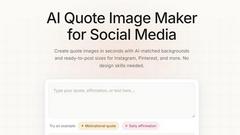
QuoteImageMaker
QuoteImageMaker analyzes your text to generate perfectly matched backgrounds and preset sizes for social media posts in seconds.
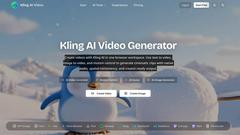
Kling AI Video Generator
Kling AI Video Generator produces cinematic clips with native audio and motion control from text or image prompts in one browser workspace.
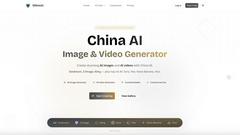
China AI
China AI is the premier platform for generating professional images and videos by seamlessly integrating top Chinese and US AI models.
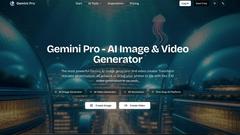
Gemini Pro - AI Image & Video Generator
Gemini Pro is the leading platform for generating photorealistic 4K images and cinematic videos from text using top AI models like Veo and Sora.
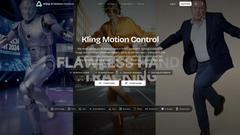
Kling AI Motion Control
Kling AI Motion Control transfers full-body movement from a reference video onto any uploaded character image to create perfectly synchronized.
Latiai
Latiai is the one-stop AI platform offering access to top models like Sora and Veo for generating stunning images and videos.
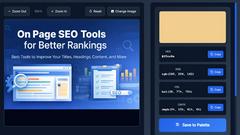
Image Color Picker Online
Effortlessly extract precise color codes from any image online, instantly generating HEX, RGB, HSL, and CMYK values for your design needs.
Duct Tape 3
Duct Tape 3 is the premier AI image generator, creating ultra HD visuals from text or existing images in seconds.
Wan Animate
Wan Animate is an AI tool that creates cinematic character animations with precise motion control and seamless face swapping.
Viewmax Studio
Viewmax Studio effortlessly transforms your images into stunning videos with AI, perfect for creating viral content in seconds.
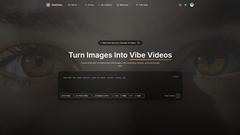
VibeVideo
VibeVideo is an AI video generator that effortlessly transforms images and text into cinematic videos in seconds, ideal for creators and marketers.
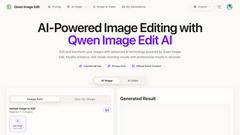
Qwen Image Edit
Transform and enhance your images effortlessly with Qwen Image Edit, the advanced AI-powered editor for stunning visual results.
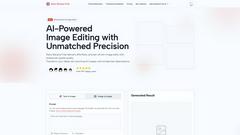
Nano Banana Free
Nano Banana Free is an AI image and video editor that uses prompts to edit photos, maintain character consistency, and generate new content.
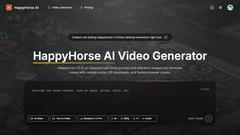
HappyHorse AI
HappyHorse AI transforms text and images into stunning cinematic videos with natural motion, available directly from your browser.
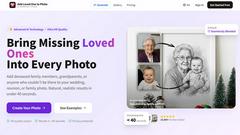
Add Loved One to Photo
Add Loved One to Photo uses advanced AI to seamlessly insert a missing or deceased loved one into any existing photo in under 40 seconds.

LinkedIn Speak
LinkedIn Speak instantly transforms plain text into professional posts and translates content across eight languages.
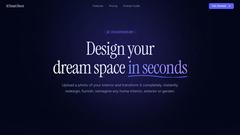
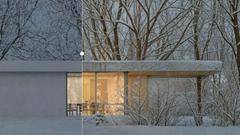
AI Smart Decor
AI Smart Decor instantly redesigns any room from a photo, enabling professional-grade interior transformations in seconds.
About ChatGPT Image Generator Alternatives
ChatGPT Image Generator is a design tool that leverages OpenAI’s advanced GPT technology to transform text prompts into high-quality, AI-generated visuals. As a text-to-image solution, it allows users to create, edit, and upscale images up to 4K resolution, making it a versatile asset for designers, marketers, and content creators seeking rapid visual prototyping. While it offers powerful capabilities, users frequently seek alternatives due to factors such as subscription costs, platform limitations, specific feature requirements like batch processing or style customization, or the need for integration with other software ecosystems. Additionally, some professionals may require more granular control over image composition or adherence to particular brand guidelines that the native tool does not fully support. When evaluating an alternative to ChatGPT Image Generator, focus on core criteria that align with your workflow. Look for a solution that offers robust prompt fidelity and image quality, as well as flexible editing tools and resolution options. Consider pricing models, including free tiers or pay-as-you-go plans, to match your budget. Platform compatibility and API availability are also critical, especially for teams needing seamless integration with existing design suites or content management systems. Finally, assess the provider’s data privacy policies and security measures to ensure your generated content remains protected, particularly when handling sensitive or proprietary visual assets.
FAQs about ChatGPT Image Generator Alternatives
What is ChatGPT Image Generator?
ChatGPT Image Generator is a design tool that uses OpenAI’s GPT image technology to create AI-generated photos from text prompts. It falls under the Design Tools category and enables users to generate, edit, and upscale images to 4K resolution. The tool transforms descriptive text into stunning visuals, offering a streamlined way to produce professional-grade imagery without traditional design software.
Who is ChatGPT Image Generator for?
ChatGPT Image Generator is designed for content creators, marketers, graphic designers, and business professionals who need rapid visual content. It is particularly useful for those who require high-quality images for social media, presentations, advertising, or prototyping. The tool’s intuitive text-to-image workflow makes it accessible to both experienced designers and users with no prior design experience.
Is ChatGPT Image Generator free?
ChatGPT Image Generator is not a free service; it operates under OpenAI’s paid subscription plans, such as ChatGPT Plus or API usage tiers. Free access is limited, and users typically need a subscription to generate images, edit them, or produce 4K resolution outputs. Pricing details are available on the official OpenAI platform and may vary based on usage volume and feature access.
What are the main features of ChatGPT Image Generator?
The main features include text-to-image generation using GPT technology, the ability to edit existing images, and the option to produce 4K resolution photos. Users can input detailed prompts to create custom visuals, refine outputs with editing tools, and export high-definition images suitable for professional use. The tool is designed for speed and precision, making it ideal for iterative design workflows.