

Alternatives to Add Loved One to Photo
Add Loved One to Photo uses advanced AI to seamlessly insert a missing or deceased loved one into any existing photo in under 40 seconds.
Explore 20 alternatives to Add Loved One to Photo. Compare features, pricing, and find the best fit for your needs.
Receiptum
Receiptum is a free, fast tool for creating realistic, customizable professional receipts for business, creative, or educational use.
AI 3D
AI 3D generates production-ready, fully textured GLB models from text or images using Tencent Hunyuan3D and ByteDance Seed3D.

dMaya.ai
dMaya.ai is an AI-driven design platform that transforms product descriptions into editable UI screens, streamlining your design workflow instantly.

Mockupanda
Mockupanda generates unlimited professional mockups instantly for Etsy and POD sellers to boost conversions.
GPT Image 2 API
GPT Image 2 API enables seamless generation and editing of high-quality images from text prompts for diverse design and marketing needs.
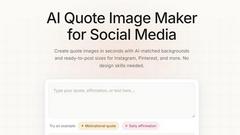
QuoteImageMaker
QuoteImageMaker analyzes your text to generate perfectly matched backgrounds and preset sizes for social media posts in seconds.
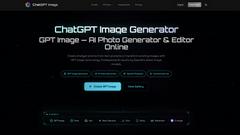
ChatGPT Image Generator
Transform text prompts into professional AI images and edit existing photos using OpenAI's latest GPT Image technology for commercial use.

Kling AI Video Generator
Kling AI Video Generator produces cinematic clips with native audio and motion control from text or image prompts in one browser workspace.
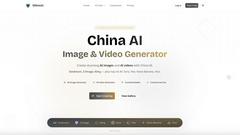
China AI
China AI is the premier platform for generating professional images and videos by seamlessly integrating top Chinese and US AI models.
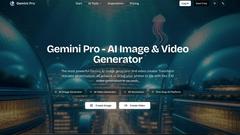
Gemini Pro - AI Image & Video Generator
Gemini Pro is the leading platform for generating photorealistic 4K images and cinematic videos from text using top AI models like Veo and Sora.

Kling AI Motion Control
Kling AI Motion Control transfers full-body movement from a reference video onto any uploaded character image to create perfectly synchronized.
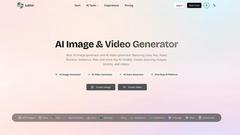
Latiai
Latiai is the one-stop AI platform offering access to top models like Sora and Veo for generating stunning images and videos.

Image Color Picker Online
Effortlessly extract precise color codes from any image online, instantly generating HEX, RGB, HSL, and CMYK values for your design needs.
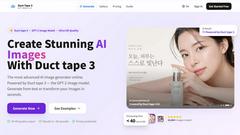
Duct Tape 3
Duct Tape 3 is the premier AI image generator, creating ultra HD visuals from text or existing images in seconds.
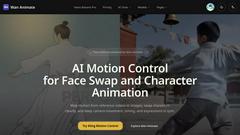
Wan Animate
Wan Animate is an AI tool that creates cinematic character animations with precise motion control and seamless face swapping.
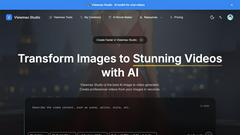
Viewmax Studio
Viewmax Studio effortlessly transforms your images into stunning videos with AI, perfect for creating viral content in seconds.
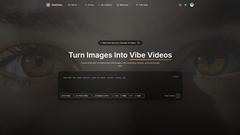
VibeVideo
VibeVideo is an AI video generator that effortlessly transforms images and text into cinematic videos in seconds, ideal for creators and marketers.
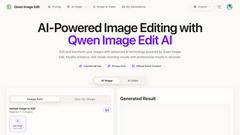
Qwen Image Edit
Transform and enhance your images effortlessly with Qwen Image Edit, the advanced AI-powered editor for stunning visual results.
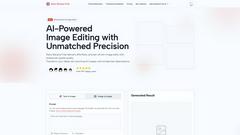
Nano Banana Free
Nano Banana Free is an AI image and video editor that uses prompts to edit photos, maintain character consistency, and generate new content.
About Add Loved One to Photo Alternatives
Add Loved One to Photo is a specialized AI memorial photo studio within the broader category of AI-powered design and photo editing tools. It is engineered for a specific, sensitive purpose: to help individuals and families create a complete, realistic image by adding a missing or deceased loved one into an existing group photo. This process involves uploading two photos—the target scene and a clear reference image of the person—allowing the AI to generate a seamless and emotionally resonant composite. Users may explore alternatives for several practical reasons. Some seek different pricing models, such as one-time purchases versus subscriptions, or require a tool with a different set of core features, like advanced manual editing controls. Others have specific platform needs, preferring a mobile app for on-the-go use or a desktop software for more powerful processing. When evaluating options, it's crucial to consider the AI's realism and ethical handling of sensitive content, the overall ease of use for non-technical users, the quality and variety of output styles offered, and the provider's commitment to data privacy and security for such personal projects.
FAQs about Add Loved One to Photo Alternatives
What is Add Loved One to Photo?
Add Loved One to Photo is an AI memorial photo tool designed to create complete family photos by adding a missing or deceased loved one into an existing picture. Users upload a group photo and a separate reference photo of the individual. The application then uses advanced artificial intelligence to blend the two images into a single, realistic, and emotionally meaningful portrait, serving as a form of digital memorial and sentimental restoration.
Who is Add Loved One to Photo for?
This tool is for anyone wishing to create a complete family portrait where a loved one could not be physically present. It is particularly meaningful for families creating memorial portraits, those commemorating a loved one at a wedding or family reunion, grandparents wanting a portrait with grandchildren, or anyone seeking to restore a holiday or special occasion scene. It caters to individuals seeking a compassionate, AI-driven solution for emotional photo projects.
What are the main features of Add Loved One to Photo?
The core feature is its AI-powered blending of two uploaded photos to create a realistic composite. Beyond basic integration, it includes a style-based generation mode that allows users to transform the final image into various artistic styles, such as watercolor, sketch, oil painting, or anime. This provides families with unique and personalized memorial art. The tool is built specifically for sensitive use cases like memorial portraits and family remembrance scenes.
Is Add Loved One to Photo secure and private?
Given the highly personal and sensitive nature of the images processed, security and privacy are paramount considerations for a tool like this. Users should review the provider's specific data policy, but such services are typically built with strong data protection measures. This includes secure upload protocols, clear data retention policies, and often processing that does not use images for AI training, ensuring your memorial photos remain confidential and respected.