
Dokta
Dokta automates document management for freelancers and SMBs, streamlining invoices, quotes, and contracts with AI-driven efficiency.
Visit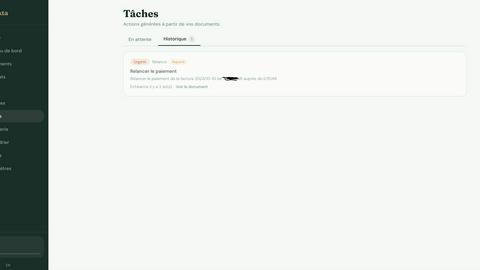
About Dokta
Dokta is an innovative, AI-powered document management platform designed specifically for freelancers, solo entrepreneurs, auto-entrepreneurs, and small to medium-sized businesses (SMBs). It revolutionizes how users handle their documents by allowing them to drop any file, such as invoices, quotes, or contracts, into the platform. Within under 60 seconds, Dokta's advanced AI engine reads, classifies, and extracts essential data from these documents. This capability streamlines the document lifecycle, enabling users to create professional invoices and quotes, track payments, and automate reminders for unpaid invoices. By managing contracts and deadlines efficiently, Dokta eliminates the stress of lost files or missed deadlines. The platform helps build a comprehensive client database and provides real-time cash flow tracking, with the ability to export data to CSV for accounting purposes. Whether you are a freelance developer, consultant, trades contractor, or managing a growing SMB, Dokta centralizes document management with AI, allowing you to focus on your core business activities.
Features of Dokta
Automated Invoice Management
Dokta simplifies invoice management by allowing users to create professional invoices and quotes in just a few clicks. With automated tracking of payments and reminders for overdue invoices, this feature ensures that freelancers and entrepreneurs can focus on their work rather than administrative tasks.
Real-Time Cash Flow Tracking
With Dokta, users gain instant visibility into their financial situation. The platform provides a comprehensive overview of billed revenue, received payments, outstanding invoices, and VAT, all represented graphically for easy understanding over a 12-month period.
AI-Driven Document Analysis
The heart of Dokta's functionality lies in its AI-powered document analysis. Users can upload various document types—photos, scans, or PDFs—and within 60 seconds, Dokta automatically reads, classifies, and extracts critical data, such as document type, amount, due date, and client information.
Client and Supplier Management
Dokta enhances user efficiency through automatic enrichment of client and supplier data. It includes payment scoring and a complete history for each entity, ensuring that users can manage their relationships effectively, with reduced risk of errors.
Use Cases of Dokta
Freelance Developers
Freelance developers benefit from Dokta's ability to generate monthly invoices based on time-based contracts. The platform automates the billing process, allowing developers to focus on coding rather than administrative duties.
Creative Professionals
Creative freelancers can utilize Dokta to streamline their project management from the initial quote to final invoice. The feature that transforms quotes into invoices with a single click ensures a smooth workflow throughout their projects.
Auto-Entrepreneurs
For auto-entrepreneurs, Dokta provides a straightforward solution for compliant invoicing and effective tracking of payment receipts. Users receive alerts for upcoming deadlines, ensuring they remain compliant with regulatory requirements without hassle.
Small to Medium-Sized Businesses
SMBs can leverage Dokta to manage their entire document lifecycle efficiently. By utilizing features such as automated reminders and document tracking, businesses can significantly reduce administrative burdens and enhance productivity.
Frequently Asked Questions
How does Dokta ensure data security?
Dokta prioritizes data security by hosting all information in Europe (AWS) and implementing AES-256 encryption. This ensures that user data is protected in compliance with GDPR regulations.
Can I try Dokta before subscribing?
Yes, Dokta offers a free tier that allows users to manage up to 15 documents per month without requiring a credit card. This lets potential users explore the platform's features risk-free.
What types of documents can I upload to Dokta?
Dokta supports a wide range of document types, including invoices, quotes, contracts, and more, in various formats such as photos, scans, or PDFs, making it versatile for different business needs.
Is customer support available for users?
Yes, Dokta provides email support for all users, including those on the free tier. This ensures that any questions or concerns can be addressed promptly, enhancing the user experience.
Top Alternatives to Dokta
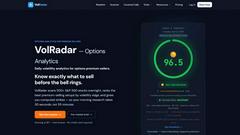
VolRadar
VolRadar delivers daily options analytics for premium sellers, ranking 500+ S&P stocks by volatility edge with computed strikes for 30-second morning.
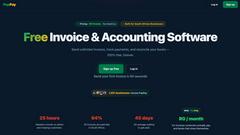
PopPay
PopPay is a free, SARS-compliant invoice and accounting software for South African small businesses, integrating seamlessly with WhatsApp and EFT.
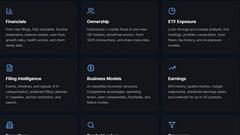
StockFit API
StockFit API delivers structured SEC data for precise financial modeling, valuation, and backtesting for investors and researchers.
CalcFi
CalcFi offers 300+ free financial calculators that integrate federal data to provide a comprehensive financial overview tailored to your needs.

Wize Finance Eligibility Check
Wize Finance Eligibility Check lets UK limited companies explore business loan options and funding eligibility without impacting their credit score.
Ember
Ember leverages three independent AI models to identify high-conviction market signals by tracking discrepancies in real-time predictions.
Stockdrifts
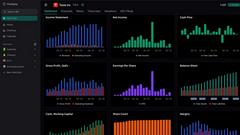
StockDrifts empowers investors with AI-driven insights from global insider trades and filings to enhance research and decision-making.
Kapitol.ai
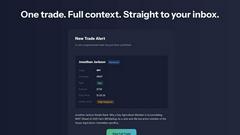
Kapitol.ai tracks and analyzes Congressional stock trades, offering insights into insider signals to help you capitalize on market movements.