

Alternatives to Tagada
Tagada parses Gmail into clickable sentences for local highlighting and categorization, keeping your data private and boosting email efficiency.
Explore 20 alternatives to Tagada. Compare features, pricing, and find the best fit for your needs.

PolicyCentral.ai
PolicyCentral.ai is an AI-driven platform for enterprises to manage, publish, and track policy compliance across all departments.
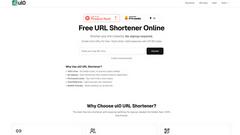
ul0
ul0 is a free URL shortener that instantly creates permanent links, tracks clicks, and generates UPI QR codes without any signup required.

Scheduler.social
Scheduler.social is an AI-driven platform that automates your entire social media marketing workflow, from content creation to publishing across all.
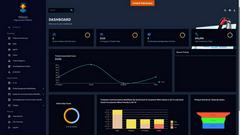
Helpyly
Helpyly simplifies customer support by streamlining ticket management and enhancing team collaboration for improved service delivery.

VersQ
VersQ delivers professional AI document translation across 20 plus languages with 50 plus models, flat monthly pricing, and preserved formatting.

Innermost
Innermost is your AI-powered mental wellness companion, offering personalized support to help you understand and navigate your emotions.

AssetCenter
AssetCenter provides comprehensive asset tracking in a unified timeline, ensuring clarity and control throughout the entire asset lifecycle.

Clearlist.me
Clearlist.me automates your selling process, writing listings, pricing items, and managing buyers with just one link, saving you time and hassle.

Catch The Signal
Catch The Signal delivers real-time updates on funding rounds, startup jobs, and open source opportunities from over 10 sources every hour.

Lynk.Coach
Lynk.Coach is the AI-powered platform that organizes your coaching business, automates admin tasks, and helps you grow your client base effortlessly.
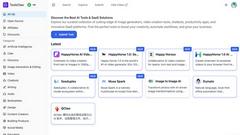
ToolsClaw
ToolsClaw is a curated directory of top AI tools for image, video, and productivity, empowering creators and businesses to enhance their workflows.

FormBlends
FormBlends provides physician-prescribed GLP-1 weight loss programs with medication delivered from an FDA-registered pharmacy.
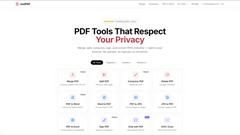
JustPDF
JustPDF is a privacy-first, browser-based toolkit offering 17 essential PDF tools like merge, compress, and convert, all without uploading your files.

Yopki
Yopki is a free AI trip planner that creates customized family itineraries with interactive maps and tailored activity suggestions.

My Medical Billing Solution
My Medical Billing Solution provides end-to-end revenue cycle management to maximize collections for medical practices.
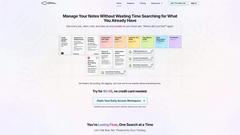
Opal
Opal empowers solopreneurs and neurodivergent thinkers to effortlessly manage their projects and notes in one intuitive platform.
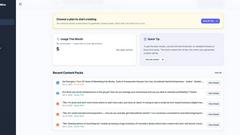
Postmine
PostMine transforms trending social media posts into seven tailored content pieces, streamlining your content creation process in seconds.

Trendsfox - See What's Really Trending
Trendsfox delivers real-time insights on what's trending across Reddit, YouTube, SaaS, tech, and stocks, all in one user-friendly dashboard.

Amovera
Amovera is a comprehensive wedding planning tool that offers lifetime access to manage your guest list, budget, seating, and inspiration effortlessly.

Eety AI - An AI Assistant for Patent Drafting
Eety AI enhances your patent drafting process by understanding your intent and executing your strategy with precision and your unique voice.
About Tagada Alternatives
Tagada is a privacy-focused browser extension designed to enhance productivity within Gmail by parsing incoming emails into clickable sentences that can be highlighted, tagged, and organized by category. It belongs to the productivity and management category, specifically targeting email workflow optimization for professionals who handle high volumes of correspondence. Users commonly seek alternatives due to specific needs such as different pricing models, the desire for cross-platform support beyond Gmail, or the requirement for advanced collaboration features that Tagada does not offer. Others may need deeper integration with CRM systems or prefer tools that include cloud-based AI summarization, even though Tagada intentionally avoids this for privacy reasons. When evaluating an alternative, it is critical to assess data handling policies, as Tagada’s core value is 100% local processing. You should look for tools that clearly state whether they process data on-device or on third-party servers, as this impacts both security and compliance. Additionally, consider the breadth of email client support, the flexibility of categorization and tagging systems, and whether the tool generates reply templates that match your communication style. Pricing transparency, ease of onboarding, and the availability of team management features are also key factors for organizations looking to scale their email response efficiency.
FAQs about Tagada Alternatives
What is Tagada?
Tagada is a browser extension that transforms how you read and reply to emails in Gmail. It parses incoming emails into clickable sentences that you can highlight, tag, and organize by category with a single click, then generates a clean reply template built around the points that matter. All processing occurs entirely on your local machine, meaning no data is sent to the cloud or to third-party servers.
Who is Tagada for?
Tagada is ideal for professionals, support teams, freelancers, consultants, and anyone managing long email threads who wants to cut response time and structure replies more clearly. It is particularly valuable for users who handle high volumes of correspondence and need to quickly identify key points without writing replies in colored text inside the original message. The tool is designed for individuals and teams that prioritize data privacy and want to avoid AI-based or cloud-based email processing.
What are the main features of Tagada?
The main features include instant parsing of emails into selectable sentences, one-click highlighting and tagging by category, and auto-generated reply templates built from your selections. Tagada works directly inside Gmail with no new tool to learn, and it performs all processing locally without AI, cloud servers, or third-party involvement. This ensures your email data remains completely private and secure.
Is Tagada secure?
Yes, Tagada is designed with security and privacy as core principles. It processes all email data 100% locally on your device, meaning no data is ever sent to the cloud, to AI models, or to third-party servers. This local-only architecture ensures that your sensitive email content never leaves your computer, making it a strong choice for professionals with strict data confidentiality requirements.