
JustPDF
JustPDF is a privacy-first, browser-based toolkit offering 17 essential PDF tools like merge, compress, and convert, all without uploading your files.
Visit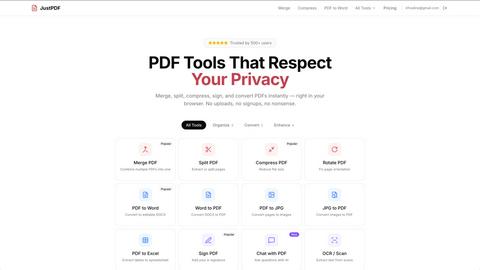
About JustPDF
JustPDF is a revolutionary suite of 17 professional-grade PDF tools that operates with an uncompromising commitment to user privacy and security. Unlike conventional online services like Smallpdf or iLovePDF, which require uploading files to remote servers, JustPDF performs all processing entirely within the user's web browser. Leveraging advanced JavaScript and WebAssembly technology, it ensures that sensitive documents—whether confidential contracts, academic papers, or personal records—never leave the user's device. This local processing model is verifiable by users themselves via the browser's Developer Tools, providing transparent proof of its privacy-first architecture. The platform caters to a wide audience, including privacy-conscious professionals, students, educators in FERPA-compliant environments, and anyone handling sensitive data. Its core value proposition is delivering powerful, desktop-software-level functionality—from merging and compressing to advanced AI-powered chat with documents—through a convenient, web-based interface that requires no software installation, no account for basic use, and guarantees absolute data sovereignty.
Features of JustPDF
100% Browser-Based Processing
JustPDF's foundational feature is its complete reliance on client-side technology. Every operation, from splitting a PDF to running Optical Character Recognition (OCR), is executed locally on your computer or smartphone using JavaScript and WebAssembly. This means your files are processed in the isolation of your browser's sandbox, with zero data transmission to external servers. This architecture not only ensures unparalleled privacy but also allows the tools to function reliably even with limited or no internet connectivity after the initial page load.
Comprehensive PDF Tool Suite
The platform offers a robust collection of 17 essential PDF utilities organized into logical categories. For document organization, users can merge, split, compress, rotate, flatten, and unlock PDFs. For conversion, it supports bidirectional changes between PDF and formats like Word, JPG, and Excel, plus specialized conversions from WebP and HEIC images. Advanced features include adding e-signatures, converting documents to grayscale, AI-powered chat for document interrogation, and OCR to create searchable text from scans.
Privacy-Verifiable Security Model
JustPDF establishes trust through technical transparency. Users are encouraged to open their browser's Developer Tools (specifically the Network tab) to monitor data traffic during any operation. The absence of file upload requests to external domains provides concrete, real-time verification that documents are not being sent to the cloud. This feature is critical for professionals in legal, healthcare, and academic fields who require auditable compliance with data protection standards.
FERPA-Compliant AI Chat
The "Chat with PDF" tool represents a significant advancement, allowing users to interact conversationally with their documents using AI. Unique to JustPDF, this powerful feature operates under the same strict local-processing or privacy-compliant cloud guidelines, making it safe for educational use under FERPA regulations. Students and educators can ask questions, summarize content, and extract key information from textbooks or research papers without compromising sensitive student data.
Use Cases of JustPDF
Handling Sensitive Legal and Business Documents
Lawyers, consultants, and business executives frequently handle confidential contracts, merger agreements, and client reports. Using JustPDF, they can securely compress, merge, sign, or convert these sensitive PDFs without ever exposing the data to third-party servers, mitigating the risk of data breaches and ensuring compliance with client confidentiality agreements and regulations like GDPR.
Academic and Student Workflow
Students and researchers can safely organize lecture notes, merge research papers, convert assignments to PDF, and use the OCR tool on library scans. The platform's FERPA compliance is essential for educators and administrative staff who process student records, transcripts, and application materials, as it guarantees that protected student information remains completely private throughout any PDF manipulation task.
Personal Document Management
Individuals managing personal finances, tax records, leases, or identification documents can use JustPDF to compress files for email attachments, combine multiple statements into a single file, or convert scanned receipts to PDF. The assurance that personal data never leaves their computer provides peace of mind that is not available with typical online file converters.
On-the-Go and Offline Productivity
Professionals traveling or working in areas with poor internet connectivity can rely on JustPDF's offline capabilities. Once the web application is loaded in the browser, core tools remain functional without an active connection. This allows for last-minute compression of a presentation, signing a contract, or converting a report while on a flight or in a remote location.
Frequently Asked Questions
Is JustPDF really free, and what are the limits?
Yes, JustPDF offers a genuinely free tier that requires no account creation. Free users have access to all 17 tools but are limited to 3 operations per day. This is ideal for occasional users. Each successful task, like merging one set of files or compressing one document, counts as one operation. There are no watermarks on outputs, and file size limits are generous for the free tier.
How does JustPDF ensure my files stay private?
JustPDF uses a client-side processing model. When you use a tool, your PDF is loaded into your computer's working memory (RAM) and processed entirely by code running in your browser tab. The files are never uploaded to JustPDF's or any other servers. You can confirm this by opening your browser's Developer Tools (F12), navigating to the Network tab, and observing that no file data is sent to external networks during processing.
What is the "Chat with PDF" feature, and how does it work?
Chat with PDF is an AI-powered tool that allows you to interact with your document conversationally. You can ask questions about the content, request summaries, or find specific information. To maintain privacy, this feature may use a secure, anonymized API call to a large language model, but it is engineered to be FERPA-compliant, meaning no personally identifiable educational data is stored or used for training. For purely local processing, the chat might leverage a lightweight on-device model where possible.
What are the benefits of the Pro subscription?
The Pro subscription, starting at $4 per month, removes the daily operation limit, granting unlimited use of all tools. It is designed for power users, professionals, and teams who regularly process multiple PDFs daily. Pro users also typically enjoy priority support, the ability to process larger batch operations or bigger file sizes, and access to any future premium features, making it a cost-effective solution for high-volume needs.
Pricing of JustPDF
JustPDF operates on a transparent freemium model. The Free Plan requires no account and provides full access to all 17 tools with a limit of 3 operations per day. Outputs are free of watermarks. The Pro Plan starts at $4 per month (billed annually) and offers unlimited operations, removing all daily restrictions for power users and professionals who require frequent PDF manipulation. This subscription ensures uninterrupted workflow and is priced competitively to provide exceptional value for unlimited access to a secure, privacy-focused PDF suite.
Explore more in this category:
Top Alternatives to JustPDF
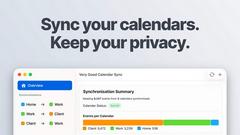
Very Good Calendar Sync
Quietly syncs calendars, no more multiple checks.
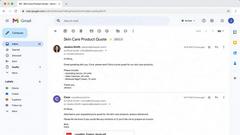
Cece AI
Cece AI is your intelligent email assistant that streamlines scheduling, follow-ups, and operations, allowing you to focus on what truly matters.

Texas Pro Build
Texas Pro Build offers expert roofing solutions in Fort Worth, specializing in repairs, replacements, and storm damage restoration with guaranteed.


Commenter AI
Commenter AI organizes your LinkedIn DMs, prioritizing sales conversations to ensure you focus on what matters most today.

ThisVid Video Downloader
Save web videos to computer via browser extension.
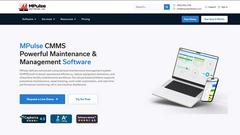
MPulse CMMS Software
MPulse CMMS software enhances maintenance efficiency, reduces downtime, and streamlines asset management for any industry, all on a user-friendly.