
Opal
Opal empowers solopreneurs and neurodivergent thinkers to effortlessly manage their projects and notes in one intuitive platform.
Visit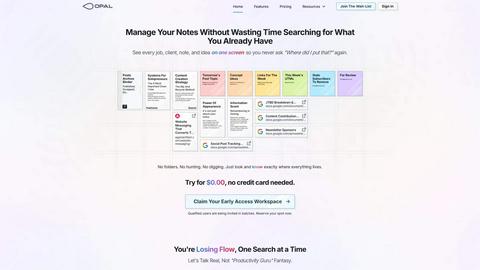
About Opal
Opal is an innovative productivity tool designed to transform the way individuals and teams manage their notes, documents, and important files. Unlike traditional productivity applications that often bury information in complex folder structures, Opal offers a visual, infinite canvas where users can arrange their content spatially on a digital desk. This approach allows users to see everything at a glance, ensuring that important information remains top of mind. Whether you are a freelancer, a project manager, or a business owner, Opal caters to anyone who relies on effective knowledge management. Its primary value proposition lies in eliminating the frustration of searching for lost information, thereby enhancing focus, improving productivity, and ultimately enabling users to do their best work without the chaos of disorganized tools.
Features of Opal
Visual Infinite Canvas
Opal provides a spacious digital workspace that allows users to visually organize their notes, tasks, and files. By presenting information in a spatial format, users can quickly grasp their entire workflow without unnecessary clicks or searches.
Markdown-Based Block Editor
The platform includes a rich markdown-based block editor, enabling users to create content with various media types. This feature is ideal for writing scripts, manuals, or articles, allowing for seamless integration of text, images, and links.
Real-Time Collaboration
Opal facilitates real-time collaboration, enabling multiple users to work on the same project simultaneously. This feature is essential for teams that require instant feedback and communication while managing tasks and documents.
AI Integration
With the Opal Recall skill, users can connect their own AI agents to the platform through an API. This integration enhances productivity by allowing users to retrieve information and insights quickly, making it easier to stay on top of tasks and projects.
Use Cases of Opal
Project Management
Opal is perfect for project managers who need to track multiple tasks, clients, and deadlines. The visual organization helps keep everything in sight, ensuring that no detail is overlooked during project execution.
Content Creation
Writers and content creators can utilize Opal's markdown editor to draft articles, scripts, or manuals. The ability to organize thoughts and ideas visually aids in the creative process while streamlining content development.
Knowledge Management
For businesses that rely on standard operating procedures and documentation, Opal serves as a centralized knowledge management system. All essential information can be stored, linked, and accessed easily, reducing time spent searching for documents.
Client Management
Individuals managing client relationships can benefit from Opal's structure, allowing them to keep track of client notes, contracts, and communication history in one accessible space. This ensures that every detail is accounted for and easily retrievable.
Frequently Asked Questions
What makes Opal different from traditional productivity tools?
Opal stands out by offering a visual workspace that allows users to spatially organize their information, unlike traditional tools that often rely on hierarchical folder structures.
Can I collaborate with my team on Opal?
Yes, Opal features real-time collaboration capabilities, allowing multiple users to work together seamlessly on projects and documents.
Is there an AI integration available in Opal?
Absolutely. Opal offers the Opal Recall skill, enabling users to connect their AI agents through an API for enhanced productivity and quick information retrieval.
How does Opal help with knowledge management?
Opal serves as a centralized hub for all your essential documents and notes, making it easy to access and link information, streamlining your knowledge management processes.
Top Alternatives to Opal

Very Good Calendar Sync
Quietly syncs calendars, no more multiple checks.

Cece AI
Cece AI is your intelligent email assistant that streamlines scheduling, follow-ups, and operations, allowing you to focus on what truly matters.

Texas Pro Build
Texas Pro Build offers expert roofing solutions in Fort Worth, specializing in repairs, replacements, and storm damage restoration with guaranteed.

Commenter AI
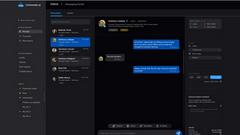
Commenter AI organizes your LinkedIn DMs, prioritizing sales conversations to ensure you focus on what matters most today.

ThisVid Video Downloader
Save web videos to computer via browser extension.
MPulse CMMS Software
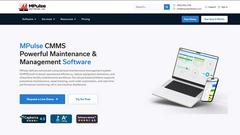
MPulse CMMS software enhances maintenance efficiency, reduces downtime, and streamlines asset management for any industry, all on a user-friendly.

Talk4Now
Talk4Now connects you with native speakers in real-time voice rooms for practical English conversation practice.