
File Studio vs JustPDF
Side-by-side comparison to help you choose the right product.

File Studio
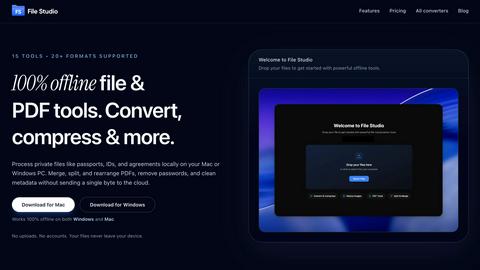
File Studio offers powerful offline tools to convert, compress, merge, and edit files securely on your Mac or Windows.
Last updated: February 25, 2026

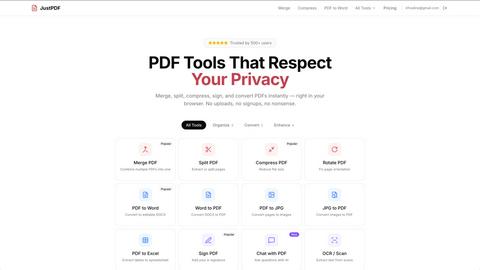
JustPDF is a privacy-first PDF toolkit with 17 free tools including merge, split, compress, convert, sign, and OCR.
Visual Comparison
File Studio
JustPDF
Overview
About File Studio
File Studio is a robust desktop application designed to process PDFs and images entirely offline on your Mac or Windows PC. This powerful tool is tailored for individuals and professionals who handle sensitive documents such as passports, IDs, and contracts, providing a level of privacy that cloud-based solutions cannot offer. By enabling users to merge multiple PDFs, split documents into pages, reorder and rotate files, remove passwords, and convert files to various image formats, File Studio simplifies the management of digital assets without compromising security. With support for over 20 file formats including HEIC, WebP, AVIF, and various RAW types, it caters to a wide audience including photographers, freelancers, and remote workers who prioritize speed and confidentiality in their workflow. With a one-time purchase model, users gain lifetime access to the software, ensuring they can rely on its capabilities without ongoing subscription fees.
About JustPDF
JustPDF provides 17 professional-grade PDF tools that process files entirely in the user's browser. Unlike Smallpdf, iLovePDF, and other online PDF tools that upload files to remote servers, JustPDF uses JavaScript and WebAssembly to handle everything locally on the device. Files never leave the browser — verifiable by checking the Network tab in DevTools. Tools include: Merge PDF, Split PDF, Compress PDF, Rotate PDF, Flatten PDF, Unlock PDF, PDF to Word, Word to PDF, PDF to JPG, JPG to PDF, PDF to Excel, WebP to PDF, HEIC to PDF, PDF to Grayscale, Sign PDF, Chat with PDF (AI), and OCR/Scan. No account needed for the free tier (3 ops/day). Pro starts at $4/month for unlimited access. FERPA-compliant for educational use.