
File Studio
File Studio offers powerful offline tools to convert, compress, merge, and edit files securely on your Mac or Windows.
Visit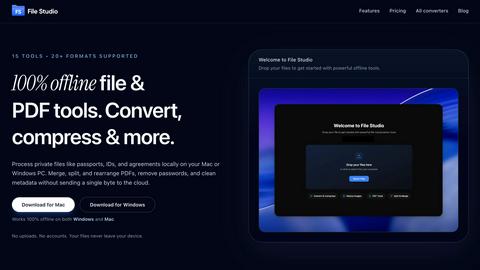
About File Studio
File Studio is a robust desktop application designed to process PDFs and images entirely offline on your Mac or Windows PC. This powerful tool is tailored for individuals and professionals who handle sensitive documents such as passports, IDs, and contracts, providing a level of privacy that cloud-based solutions cannot offer. By enabling users to merge multiple PDFs, split documents into pages, reorder and rotate files, remove passwords, and convert files to various image formats, File Studio simplifies the management of digital assets without compromising security. With support for over 20 file formats including HEIC, WebP, AVIF, and various RAW types, it caters to a wide audience including photographers, freelancers, and remote workers who prioritize speed and confidentiality in their workflow. With a one-time purchase model, users gain lifetime access to the software, ensuring they can rely on its capabilities without ongoing subscription fees.
Features of File Studio
100% Offline Processing
File Studio ensures that all file processing occurs locally on your Mac or PC. With no uploads required, users can manage their documents and images without ever sending data to the cloud, thereby maintaining complete control over their sensitive information.
Comprehensive PDF Tools
The application offers a suite of five dedicated PDF tools that allow users to merge, split, edit, and unlock PDF documents. This functionality enables full management of PDF files without the need for internet access, streamlining tasks while keeping data secure.
Versatile Image Tools
File Studio includes ten powerful image tools that support over 20 different formats. Users can convert, resize, compress, crop, and watermark images, making it an indispensable resource for anyone who regularly works with various image types and needs them to be optimized for different uses.
Batch Processing Capabilities
With its batch processing feature, File Studio can handle hundreds of files simultaneously. Users can convert, resize, or compress entire folders in a single operation, significantly increasing efficiency and saving valuable time for busy professionals.
Use Cases of File Studio
Professional Photographers
Photographers can leverage File Studio to convert RAW files to more accessible formats like JPEG or PNG, resize images for web use, and batch process multiple photos for events or portfolios, all while ensuring their original files remain secure.
Freelancers Managing Client Documents
Freelancers often deal with multiple client contracts and sensitive documents. File Studio allows them to merge contracts, remove passwords, and convert files to various formats, making document handling straightforward and private, without needing to rely on cloud storage.
Remote Workers Handling Confidential Files
For remote workers, especially those in industries like finance or healthcare, File Studio provides the tools to manage confidential documents securely. They can edit, compress, and share important files while ensuring that sensitive information never leaves their device.
Students Organizing Research Materials
Students can benefit from File Studio by merging research papers, converting PDFs to images for presentations, and compressing files to save space on their devices. The offline capabilities make it easy to work on projects without worrying about internet access.
Frequently Asked Questions
Is my data ever uploaded?
No, File Studio processes everything locally on your device. Your files never leave your computer, ensuring 100% offline processing and maximum privacy.
Do you offer a free trial?
Yes, you can try File Studio to explore its features and determine if it fits your needs before making a purchase.
Can I use File Studio on both Mac and Windows?
Absolutely! File Studio is designed to work seamlessly on both Mac and Windows operating systems, providing a consistent user experience across platforms.
What is included in the lifetime plan?
The lifetime plan includes unlimited conversions, one year of updates, offline processing, and access to both the PDF and image toolkits, all for a one-time payment.
Explore more in this category:
Top Alternatives to File Studio

QuickTextTools
QuickTextTools offers 76 free browser-based utilities for writers, SEOs, and students to process text instantly without sign-up.


Very Good Calendar Sync
Very Good Calendar Sync quietly aligns work, personal, and client calendars on your Mac without linking accounts or exposing data.

Cece AI
Cece AI is your intelligent email assistant that streamlines scheduling, follow-ups, and operations, allowing you to focus on what truly matters.

Texas Pro Build
Texas Pro Build offers expert roofing solutions in Fort Worth, specializing in repairs, replacements, and storm damage restoration with guaranteed.


Commenter AI
Commenter AI organizes your LinkedIn DMs, prioritizing sales conversations to ensure you focus on what matters most today.

ThisVid Video Downloader
Save web videos to computer via browser extension.