
Trimless for Gmail™ V3
Trimless for Gmail V3 automatically expands clipped emails, ensuring you never miss important information effortlessly.
Visit
About Trimless for Gmail™ V3
Trimless for Gmail™ V3 is a powerful Chrome extension designed to enhance your email experience by automatically expanding clipped messages in Gmail™. It eliminates the need for manual clicks, allowing users to access the full content of emails without the tedious "View entire message" prompts. This product is particularly beneficial for professionals who rely on email communication and need to stay informed without unnecessary distractions. With Trimless V3, you can save over 100 clicks daily, significantly improving productivity and ensuring you never miss critical information hidden in clipped emails. Its seamless integration with all Gmail™ features makes it an indispensable tool for anyone looking to streamline their email management and enhance communication efficiency.
Features of Trimless for Gmail™ V3
Automatic Message Expansion
Trimless for Gmail™ V3 automatically expands clipped messages as they load, eliminating the need for any manual intervention. Users can enjoy seamless access to their emails without distractions, allowing for a smoother workflow.
Clipped Content Restoration
This feature permanently removes the "[Message clipped] View entire message" notices from your inbox. By restoring all content, you can view crucial details instantly without needing to click through multiple prompts.
Thread Auto-Expansion
Trimless V3 expands entire conversation threads automatically, preserving context and ensuring that users have access to all relevant information. This feature is especially useful for tracking discussions and responding appropriately.
Smart Trimmed Content Styling
The extension subtly styles previously hidden content with gray text and customizable indentation, making it easy to differentiate between visible and previously obscured information. This visually appealing layout helps users quickly identify important details.
Use Cases of Trimless for Gmail™ V3
Enhanced Productivity for Professionals
Professionals who receive numerous emails daily can benefit greatly from Trimless V3, as it saves time by eliminating repetitive clicks. With every message fully visible, users can respond more quickly and efficiently.
Improved Team Communication
In team settings, Trimless V3 ensures that all members have access to complete email content without missing vital updates. This fosters better communication and collaboration, allowing teams to work more effectively.
Streamlined Project Management
Project managers can utilize Trimless V3 to keep track of project updates and communications. By seeing all relevant information at once, they can make informed decisions without sifting through clipped content.
Simplified Email Management for Individuals
Individuals who use Gmail™ for personal communication can enhance their email experience with Trimless V3. The automatic expansion feature ensures that they never miss important messages or updates from friends and family.
Frequently Asked Questions
How does Trimless for Gmail™ V3 work?
Trimless for Gmail™ V3 works by automatically expanding clipped messages as they load in your inbox. It operates silently in the background, ensuring that you have full visibility of your emails without needing to click anything.
Is Trimless for Gmail™ V3 secure?
Yes, Trimless V3 is designed with a privacy-first approach. It does not collect any user data and operates entirely within your browser, ensuring that your email content remains confidential.
Can I customize the appearance of the extension?
Absolutely! Trimless V3 offers customizable appearance options, allowing you to adjust colors, indentation, and styling to match your personal preferences for a more tailored email experience.
Is there a free trial available?
Yes, Trimless for Gmail™ V3 offers a 7-day free trial with no credit card required. This allows users to experience all features of the extension before deciding on a subscription.
Top Alternatives to Trimless for Gmail™ V3

QuickTextTools
QuickTextTools offers 76 free browser-based utilities for writers, SEOs, and students to process text instantly without sign-up.
Very Good Calendar Sync
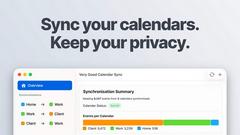
Very Good Calendar Sync quietly aligns work, personal, and client calendars on your Mac without linking accounts or exposing data.

Minded
Minded empowers teams to create AI agents that efficiently handle tasks, enhancing productivity and customer service from day one.
Cece AI
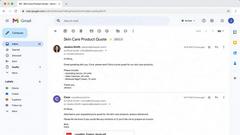
Cece AI is your intelligent email assistant that streamlines scheduling, follow-ups, and operations, allowing you to focus on what truly matters.

EDIBridge
EDIBridge offers fast, affordable cloud EDI for retail compliance, enabling setup in hours and eliminating costly per-transaction fees.

Texas Pro Build
Texas Pro Build offers expert roofing solutions in Fort Worth, specializing in repairs, replacements, and storm damage restoration with guaranteed.