
Editaimg
Editaimg is an AI image editor that effortlessly replaces backgrounds and removes objects using simple text commands.
Visit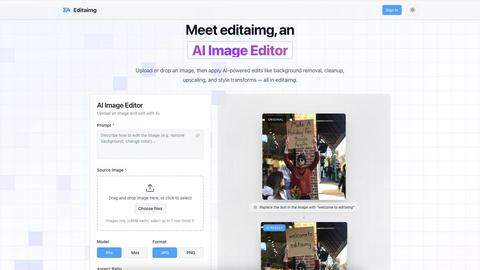
About Editaimg
Editaimg is an innovative AI-powered image editing platform designed to revolutionize the creation and enhancement of visual assets. By harnessing advanced generative intelligence, it simplifies complex design tasks into a user-friendly, text-driven process. The platform is particularly beneficial for developers, marketers, content creators, and anyone in need of professional-quality results without the steep learning curve associated with traditional editing software. The intuitive editor allows users to perform tasks such as background replacement, object removal, and text editing effortlessly by simply typing descriptions. This streamlining of the editing process not only saves time but also significantly reduces production costs, making Editaimg an essential tool for any digital project. With features tailored to address modern challenges in the digital landscape, Editaimg empowers users to transform their creative visions into high-quality outputs seamlessly.
Features of Editaimg
AI-Powered Editing
Editaimg utilizes advanced AI algorithms to facilitate background removal, inpainting, and style transformations. Users can achieve professional results without needing extensive editing skills, making the platform accessible for everyone.
Add Someone to Photo
This feature allows users to seamlessly integrate additional characters into their images. With just a few clicks, users can enhance storytelling by placing a person into any photo naturally, ensuring a cohesive look.
AI Snow Tool
The AI Snow tool adds realistic snowfall and atmospheric effects to images, enabling users to create seasonal visuals that capture the essence of winter. This feature offers adjustable intensity and lighting, providing creative flexibility.
Gemini Watermark Remover
Editaimg’s Gemini watermark remover is a vital utility for cleaning up synthetic media. This feature ensures that users can export their images without visible watermarks, maintaining a professional appearance for all visual content.
Use Cases of Editaimg
E-commerce Product Photography
Editaimg can transform basic product images into stunning, professional visuals suitable for online stores. By changing backgrounds or adding context, sellers can create appealing product shots that attract consumers' attention.
Social Media Content Creation
For marketers and influencers, Editaimg provides an efficient way to produce high-quality images for social media. By quickly editing photos, users can maintain a consistent aesthetic across their platforms, enhancing engagement.
Travel Photo Enhancement
Travelers can use Editaimg to enhance their memories by removing unwanted distractions from their photos. This includes eliminating people or objects that detract from the beauty of the scene, resulting in cleaner, more captivating images.
Creative Storytelling
Writers and content creators can leverage Editaimg's features to develop compelling narratives through visuals. By adding characters or atmospheric elements to images, they can create a more immersive experience for their audience.
Frequently Asked Questions
What types of images can I edit with Editaimg?
Editaimg supports various image formats and allows users to upload images up to 10MB each. This flexibility ensures that users can work with a wide range of visuals for their projects.
How does the background removal feature work?
The background removal feature uses AI algorithms to intelligently identify and separate the foreground from the background. Users simply describe what they want removed, and the platform handles the rest, providing a clean final image.
Can I use Editaimg for commercial purposes?
Yes, users can utilize Editaimg for commercial projects, such as e-commerce or marketing materials. The platform's capabilities allow for the creation of high-quality images suitable for professional use.
Is there a learning curve associated with using Editaimg?
Editaimg is designed to be user-friendly, minimizing the learning curve compared to traditional editing software. Users can start editing by simply uploading an image and typing their desired edits, making it accessible for everyone.
Explore more in this category:
Top Alternatives to Editaimg

Receiptum
Receiptum is a free, fast tool for creating realistic, customizable professional receipts for business, creative, or educational use.
OmniGemini
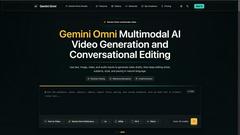
OmniGemini is a multimodal AI tool that enables effortless video and image creation, remixing, and editing using diverse media inputs.

AI 3D
AI 3D generates production-ready, fully textured GLB models from text or images using Tencent Hunyuan3D and ByteDance Seed3D.

Floor Plan AI
Generate professional floor plans instantly with our AI floor plan generator.
Lovart
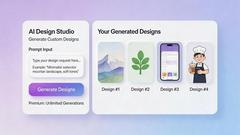
Lovart AI uses next-gen generative intelligence to turn simple prompts into professional logos, videos, and complete brand kits in seconds.
dMaya.ai
dMaya.ai is an AI-driven design platform that transforms product descriptions into editable UI screens, streamlining your design workflow instantly.

Mockupanda
Mockupanda generates unlimited professional mockups instantly for Etsy and POD sellers to boost conversions.
Spark Robin
Spark Robin transforms text and images into engaging short videos for social media, ads, and creative projects with ease and precision.