
Blueberry vs Playwriter
Side-by-side comparison to help you choose the right product.

Blueberry
Blueberry is an all-in-one Mac app that unifies editing, terminal, and browsing for seamless web app development.
Last updated: February 25, 2026

Let claude code, openclaw, codex and any agent control your Chrome browser via CLI or MCP.
Visual Comparison
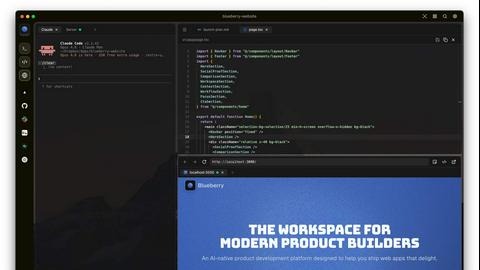
Blueberry
Playwriter

Overview
About Blueberry
Blueberry is an innovative macOS application designed to integrate your editor, terminal, and browser into a single, focused workspace, streamlining the product development process. It serves as an AI-native platform that enables modern product builders to create web applications seamlessly and efficiently. By connecting with advanced AI models like Claude, Gemini, and Codex through its built-in MCP server, Blueberry provides your AI with full visibility of your files, terminal outputs, and live previews. This eliminates the need for tedious copy-pasting of context, allowing developers to focus on coding and creativity rather than managing multiple tools. Whether you are a solo developer or part of a larger team, Blueberry is crafted to enhance productivity, foster collaboration, and simplify workflows, making it an essential tool for anyone involved in web app development.
About Playwriter
AI agents cannot browse the web properly. They either have no browser access, or they get a fresh Chrome with no logins, no extensions, and instant bot detection. Playwriter gives them your actual browser session instead. One Chrome extension, full automation API, everything you are already logged into. Includes accessibility snapshots (5-20KB instead of 100KB+ screenshots), a debugger with breakpoints, live code editing, network interception, and video recording. Works with any MCP client: Cursor, Claude, VS Code, and more. Open source, MIT licensed.