
Museum App vs Opal
Side-by-side comparison to help you choose the right product.

Museum App
Take your collection to the next level. Upload your items, share posts, create your museum, track the value of your pieces, connect with collectors

Spatial knowledge management for solopreneurs, freelancers, and neurodivergent thinkers who want total control of their projects.
Visual Comparison
Museum App
Opal
Overview
About Museum App
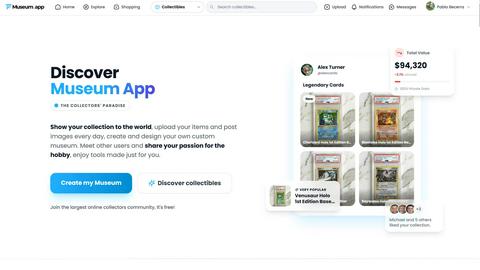
Museum App is a collector's paradise. Designed by and for collectors, our platform unifies your passion in one place: exhibit your collection with museum-quality, manage all the private information of your collectibles, and connect with a global community that shares your interests.
Whether you're passionate about luxury watches, retro video games, TCG cards, or antiques, Museum App offers the tools to take your hobby to the next level.
Key Features:
Create your own Virtual Museum: Design your visitors' journey. Classify your items into custom sections and sub-sections, add detailed descriptions, and showcase your star pieces.
Integrated Social Network: Share posts in the style of your favorite networks, but designed for your world. Upload artistic photos of your items, show your lifestyle, and tag the collectibles from your museum directly in the image.
Value Management & Charts: It's not just a hobby, it's an investment. Track the purchase price, your current estimated value...
About Opal
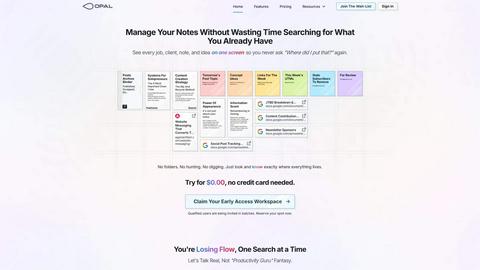
Do you hate losing and searching for what you already have and are tired of trying and quitting productivity apps? If so, that's because you remember where things are, not just what they're called.
Manage your notes, documents, and important files on a visual, infinite canvas. Organize your draggable content spatially on a digital desk where everything remains visible, what's important stays top of mind, and whatever you need in the moment is opened and ready in seconds without the frustration of digging through buried folders, tree structures, categories, and clicks.
- Author content with rich media in a markdown-based block editor
- Build your knowledge base, write scripts, author manuals, cross-reference standard operating procedures, or just connect ideas with internal item links
- Share and collaborate in real time
- Connect your AI agent with the Opal Recall skill to Opal through the API
- Store PDFs, images, and files
- Publish to the web