
File Studio vs Postmine
Side-by-side comparison to help you choose the right product.

File Studio
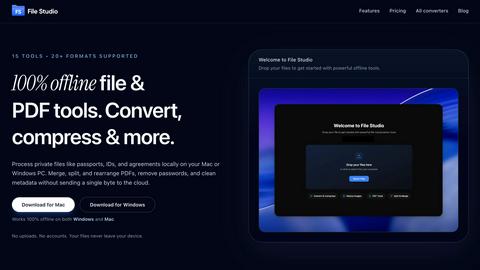
File Studio offers powerful offline tools to convert, compress, merge, and edit files securely on your Mac or Windows.
Last updated: February 25, 2026

Postmine
PostMine transforms trending social media posts into seven tailored content pieces, streamlining your content creation process in seconds.
Last updated: April 13, 2026
Visual Comparison
File Studio
Postmine

Feature Comparison
File Studio
100% Offline Processing
File Studio ensures that all file processing occurs locally on your Mac or PC. With no uploads required, users can manage their documents and images without ever sending data to the cloud, thereby maintaining complete control over their sensitive information.
Comprehensive PDF Tools
The application offers a suite of five dedicated PDF tools that allow users to merge, split, edit, and unlock PDF documents. This functionality enables full management of PDF files without the need for internet access, streamlining tasks while keeping data secure.
Versatile Image Tools
File Studio includes ten powerful image tools that support over 20 different formats. Users can convert, resize, compress, crop, and watermark images, making it an indispensable resource for anyone who regularly works with various image types and needs them to be optimized for different uses.
Batch Processing Capabilities
With its batch processing feature, File Studio can handle hundreds of files simultaneously. Users can convert, resize, or compress entire folders in a single operation, significantly increasing efficiency and saving valuable time for busy professionals.
Postmine
AI Content Generation
Postmine leverages advanced AI technology to convert a single social media post into seven distinct content formats optimized for various platforms. This saves users over five hours a week, allowing them to maximize their productivity and content reach effortlessly.
Brand Voice Profiles
Customize your content with Postmine’s brand voice profiles, ensuring that every piece resonates with your unique tone and style. Users can define their target audience, preferred phrases, and terms to avoid, guaranteeing that AI-generated content feels authentic and personalized.
Bulk Capture Mode
The bulk capture feature allows users to select multiple posts from their feeds at once and generate content packs for all of them in one go. This is particularly advantageous for users who engage in weekly content planning, enabling efficient and effective content production.
Content Calendar
Postmine includes an intuitive content calendar that helps users schedule and track their generated posts. This feature ensures that you never miss a posting window, allowing for organized content management and consistent engagement with your audience.
Use Cases
File Studio
Professional Photographers
Photographers can leverage File Studio to convert RAW files to more accessible formats like JPEG or PNG, resize images for web use, and batch process multiple photos for events or portfolios, all while ensuring their original files remain secure.
Freelancers Managing Client Documents
Freelancers often deal with multiple client contracts and sensitive documents. File Studio allows them to merge contracts, remove passwords, and convert files to various formats, making document handling straightforward and private, without needing to rely on cloud storage.
Remote Workers Handling Confidential Files
For remote workers, especially those in industries like finance or healthcare, File Studio provides the tools to manage confidential documents securely. They can edit, compress, and share important files while ensuring that sensitive information never leaves their device.
Students Organizing Research Materials
Students can benefit from File Studio by merging research papers, converting PDFs to images for presentations, and compressing files to save space on their devices. The offline capabilities make it easy to work on projects without worrying about internet access.
Postmine
Content Creation for Social Media Managers
Social media managers can use Postmine to quickly generate content from trending discussions, ensuring that their posts are timely and engaging. This allows them to keep their audience engaged with minimum effort, freeing them up for strategic planning.
Blogging for Freelancers
Freelancers can leverage Postmine to transform captivating social media threads into comprehensive blog posts. This not only diversifies their content offerings but also establishes them as thought leaders in their niches.
Marketing Teams Generating FAQs
Marketing teams can utilize Postmine to create informative FAQs based on popular discussions. This enhances customer engagement and provides valuable insights, improving the overall customer experience.
Solopreneurs Building Their Brand
Solopreneurs can capture and repurpose content from their industry’s conversations, building consistency in their messaging across platforms. Postmine helps them maintain a professional online presence without the need for extensive writing time.
Overview
About File Studio
File Studio is a robust desktop application designed to process PDFs and images entirely offline on your Mac or Windows PC. This powerful tool is tailored for individuals and professionals who handle sensitive documents such as passports, IDs, and contracts, providing a level of privacy that cloud-based solutions cannot offer. By enabling users to merge multiple PDFs, split documents into pages, reorder and rotate files, remove passwords, and convert files to various image formats, File Studio simplifies the management of digital assets without compromising security. With support for over 20 file formats including HEIC, WebP, AVIF, and various RAW types, it caters to a wide audience including photographers, freelancers, and remote workers who prioritize speed and confidentiality in their workflow. With a one-time purchase model, users gain lifetime access to the software, ensuring they can rely on its capabilities without ongoing subscription fees.
About Postmine
Postmine is an innovative one-click Chrome extension designed to transform the way content creators, social media managers, and marketers generate engaging content from trending social media discussions. By capturing viral posts from platforms like LinkedIn, Reddit, Facebook, and X, Postmine's AI seamlessly converts these discussions into seven different, platform-ready pieces of content in under 30 seconds. This includes blog posts, LinkedIn articles, Twitter threads, Facebook posts, Instagram captions, Reddit posts, and FAQs. The primary value proposition lies in its ability to save users time and effort, allowing them to focus on strategic content planning rather than the nitty-gritty of writing. With features like bulk capture, brand voice profiles, and an integrated content calendar, Postmine is built for content creators, solopreneurs, and marketing teams who want to maintain a consistent and engaging online presence without the hassle of extensive writing.
Frequently Asked Questions
File Studio FAQ
Is my data ever uploaded?
No, File Studio processes everything locally on your device. Your files never leave your computer, ensuring 100% offline processing and maximum privacy.
Do you offer a free trial?
Yes, you can try File Studio to explore its features and determine if it fits your needs before making a purchase.
Can I use File Studio on both Mac and Windows?
Absolutely! File Studio is designed to work seamlessly on both Mac and Windows operating systems, providing a consistent user experience across platforms.
What is included in the lifetime plan?
The lifetime plan includes unlimited conversions, one year of updates, offline processing, and access to both the PDF and image toolkits, all for a one-time payment.
Postmine FAQ
How does Postmine capture content from social media?
Postmine allows users to right-click on any trending post on supported platforms like LinkedIn, Reddit, or Facebook and select "Generate Content Pack." The AI then analyzes the discussion and creates various content formats.
Can I customize the AI-generated content?
Yes, Postmine enables users to set brand voice profiles, allowing you to adjust tone, target audience, key phrases, and more, ensuring that the content aligns with your brand identity.
Is there a trial period available for Postmine?
Absolutely! Postmine offers a $1 trial for seven days, giving users full access to its features. If you cancel before the trial ends, there are no charges incurred.
What if I want to use my own AI API?
Postmine supports a "Bring Your Own Key" (BYOK) option, allowing users to integrate their own AI API keys, such as Claude, OpenAI, Gemini, or DeepSeek, giving you control over AI costs and performance.
Alternatives
File Studio Alternatives
File Studio is a powerful desktop application designed for processing PDF and image files on both Mac and Windows platforms. As part of the productivity and management category, it caters to both individuals and professionals who require secure offline tools for handling sensitive documents. Users often seek alternatives to File Studio for various reasons, including pricing models, feature sets, and specific platform compatibility. When searching for an alternative, it is crucial to consider factors such as offline capabilities, the range of supported file formats, ease of use, and the overall value for money. Finding the right alternative involves evaluating your specific needs, such as the types of files you work with, the complexity of tasks you intend to perform, and whether you prefer a one-time purchase or a subscription model. It is essential to identify solutions that provide robust security measures, especially when dealing with confidential documents. Additionally, user support and regular updates can be important considerations to ensure the software remains effective over time.
Postmine Alternatives
Postmine is a one-click Chrome Extension designed to enhance productivity and management for content creators, social media managers, and marketing teams. It captures trending posts from various platforms like LinkedIn, Reddit, Facebook, and X, transforming each post into seven platform-ready content pieces in under 30 seconds. Users often seek alternatives to Postmine due to factors such as pricing, specific feature requirements, or the need for compatibility with different platforms. When choosing an alternative, it is important to consider features that align with your content strategy, the flexibility of AI integrations, and the overall user experience. Look for tools that offer similar capabilities, such as bulk capture, content scheduling, and engagement suggestions, while also assessing the cost-effectiveness of the solution to ensure it meets your needs without unnecessary expenses.