
Editaimg vs SparkPix
Side-by-side comparison to help you choose the right product.

Editaimg is an AI image editor that effortlessly replaces backgrounds and removes objects using simple text commands.
Last updated: February 25, 2026

SparkPix
SparkPix is an AI-powered online photo editor that transforms images through text commands, enabling background removal, enhancement, and style.
Last updated: March 11, 2026
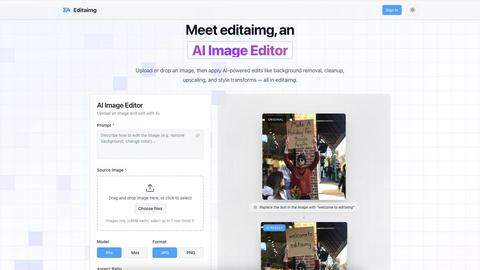
Visual Comparison
Editaimg
SparkPix

Feature Comparison
Editaimg
AI-Powered Editing
Editaimg utilizes advanced AI algorithms to facilitate background removal, inpainting, and style transformations. Users can achieve professional results without needing extensive editing skills, making the platform accessible for everyone.
Add Someone to Photo
This feature allows users to seamlessly integrate additional characters into their images. With just a few clicks, users can enhance storytelling by placing a person into any photo naturally, ensuring a cohesive look.
AI Snow Tool
The AI Snow tool adds realistic snowfall and atmospheric effects to images, enabling users to create seasonal visuals that capture the essence of winter. This feature offers adjustable intensity and lighting, providing creative flexibility.
Gemini Watermark Remover
Editaimg’s Gemini watermark remover is a vital utility for cleaning up synthetic media. This feature ensures that users can export their images without visible watermarks, maintaining a professional appearance for all visual content.
SparkPix
AI Photo Editor
The AI Photo Editor feature enables users to make specific edits by simply typing instructions, such as "remove background" or "restore this old photo." The AI processes these commands and applies the requested changes in less than 30 seconds, making photo editing fast and efficient.
Background Remover
With the Background Remover tool, users can effortlessly eliminate backgrounds from portraits, product photos, or complex scenes with just one click. This feature is particularly beneficial for e-commerce sellers who need to create clean, professional-looking images for their products.
Unblur Image
The Unblur Image feature uses advanced AI algorithms to fix motion blur, out-of-focus shots, and compression artifacts. This capability allows users to recover images that would otherwise be unusable, ensuring that every moment captured can be preserved and shared.
Photo Restoration
SparkPix's Photo Restoration feature specializes in repairing old, faded, scratched, or damaged photos. This is particularly useful for families looking to restore precious memories and maintain their photographic history without losing the original charm of the images.
Use Cases
Editaimg
E-commerce Product Photography
Editaimg can transform basic product images into stunning, professional visuals suitable for online stores. By changing backgrounds or adding context, sellers can create appealing product shots that attract consumers' attention.
Social Media Content Creation
For marketers and influencers, Editaimg provides an efficient way to produce high-quality images for social media. By quickly editing photos, users can maintain a consistent aesthetic across their platforms, enhancing engagement.
Travel Photo Enhancement
Travelers can use Editaimg to enhance their memories by removing unwanted distractions from their photos. This includes eliminating people or objects that detract from the beauty of the scene, resulting in cleaner, more captivating images.
Creative Storytelling
Writers and content creators can leverage Editaimg's features to develop compelling narratives through visuals. By adding characters or atmospheric elements to images, they can create a more immersive experience for their audience.
SparkPix
Social Media Content Creation
Social media managers and influencers can use SparkPix to quickly edit photos for platforms like Instagram or Facebook. With features such as background removal and style transfer, users can create eye-catching content that stands out in crowded feeds.
E-commerce Product Photography
Online retailers can leverage SparkPix to enhance product images, making them more appealing to potential buyers. The Background Remover and Photo Enhancer features allow sellers to create professional-looking images that can significantly boost sales.
Family Photo Restoration
Families looking to preserve their history can use SparkPix to restore old photographs. The Photo Restoration feature enables users to revive cherished memories that may have deteriorated over time, ensuring that these images remain part of the family legacy.
Creative Art Projects
Artists and designers can explore their creativity by utilizing the Style Transfer feature. By transforming photos into various artistic styles such as watercolor or oil painting, users can create unique pieces that reflect their personal artistic vision.
Overview
About Editaimg
Editaimg is an innovative AI-powered image editing platform designed to revolutionize the creation and enhancement of visual assets. By harnessing advanced generative intelligence, it simplifies complex design tasks into a user-friendly, text-driven process. The platform is particularly beneficial for developers, marketers, content creators, and anyone in need of professional-quality results without the steep learning curve associated with traditional editing software. The intuitive editor allows users to perform tasks such as background replacement, object removal, and text editing effortlessly by simply typing descriptions. This streamlining of the editing process not only saves time but also significantly reduces production costs, making Editaimg an essential tool for any digital project. With features tailored to address modern challenges in the digital landscape, Editaimg empowers users to transform their creative visions into high-quality outputs seamlessly.
About SparkPix
SparkPix is an innovative AI-powered photo editing tool that revolutionizes the way users edit images. Designed for both amateurs and professionals, SparkPix allows users to edit photos simply by typing commands, eliminating the need for extensive Photoshop skills. This accessibility makes it ideal for social media enthusiasts, online sellers, photographers, and anyone who wants to enhance their images efficiently. The platform's main value proposition lies in its ability to deliver high-quality edits in under 30 seconds, allowing users to quickly achieve their desired results without the steep learning curve associated with traditional photo editing software. With features like background removal, photo restoration, and style transfer, SparkPix caters to a wide range of editing needs, making it a versatile tool in the digital toolbox.
Frequently Asked Questions
Editaimg FAQ
What types of images can I edit with Editaimg?
Editaimg supports various image formats and allows users to upload images up to 10MB each. This flexibility ensures that users can work with a wide range of visuals for their projects.
How does the background removal feature work?
The background removal feature uses AI algorithms to intelligently identify and separate the foreground from the background. Users simply describe what they want removed, and the platform handles the rest, providing a clean final image.
Can I use Editaimg for commercial purposes?
Yes, users can utilize Editaimg for commercial projects, such as e-commerce or marketing materials. The platform's capabilities allow for the creation of high-quality images suitable for professional use.
Is there a learning curve associated with using Editaimg?
Editaimg is designed to be user-friendly, minimizing the learning curve compared to traditional editing software. Users can start editing by simply uploading an image and typing their desired edits, making it accessible for everyone.
SparkPix FAQ
How does SparkPix work?
SparkPix utilizes advanced AI algorithms to process user commands for photo editing. Users simply type what they want to change in their images, and the AI applies the edits within seconds.
Is SparkPix free to use?
Yes, SparkPix offers a free tier that includes 5 credits for users to start editing photos without any credit card requirements. Additional plans are available for those who wish to purchase more credits.
What types of images can I edit with SparkPix?
Users can edit various types of images, including portraits, product photos, and personal snapshots. The platform’s features cater to a wide range of editing needs, making it versatile for different users.
Can I access SparkPix on mobile devices?
Absolutely! SparkPix is a web-based platform that works seamlessly on desktop computers, iPhones, and Android devices. This allows users to edit photos on the go without needing to download any software.
Alternatives
Editaimg Alternatives
Editaimg is an advanced AI image editing platform that specializes in simplifying complex design tasks, allowing users to replace backgrounds and remove objects using intuitive text commands. It falls within the categories of image and photo editing, as well as image generation, making it an essential tool for developers, marketers, and content creators seeking professional-quality visuals without the need for extensive editing expertise. Users often seek alternatives to Editaimg for various reasons, including pricing, specific feature sets, and platform compatibility. When exploring alternatives, it’s crucial to consider aspects such as ease of use, the breadth of available features, cost-effectiveness, and the overall user experience. Identifying an alternative that meets your specific editing needs and seamlessly integrates into your workflow can enhance your creative projects and improve productivity.
SparkPix Alternatives
SparkPix is an online AI photo editor that allows users to enhance, restore, and creatively transform their images through simple text commands. It falls within the category of image and photo editing tools, leveraging artificial intelligence to streamline the editing process without requiring advanced skills. Users often seek alternatives to SparkPix for various reasons, including pricing concerns, feature sets that may better suit their needs, or compatibility with different platforms. When selecting an alternative to SparkPix, consider the range of features offered, the ease of use, and the flexibility of pricing plans. Additionally, assess whether the tool works seamlessly across your devices, whether desktop or mobile, to enhance your editing experience. An ideal alternative should align closely with your specific editing requirements while providing a user-friendly interface.