
OmniVideo
OmniVideo is the unified workspace where professionals turn prompts, product photos, and reference frames into polished video drafts for faster.
Visit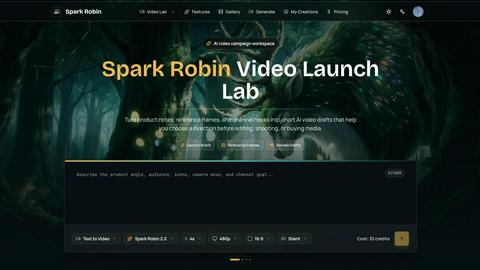
About OmniVideo
OmniVideo is a professional-grade AI video generator designed specifically for creating short, reviewable motion drafts before committing to full-scale production. It serves as a strategic pre-production workspace where marketing teams, content creators, product managers, and creative directors can transform prompts, product notes, reference images, and channel goals into text-to-video or image-to-video motion drafts. The core value proposition of OmniVideo lies in its ability to de-risk video creation by allowing teams to test concepts, compare model outputs, preview credit costs, and evaluate format decisions in a single browser-based environment. Unlike traditional video production workflows that require significant time and budget investment upfront, OmniVideo enables rapid exploration of product reveals, paid social hooks, ecommerce motion, creator briefs, explainer content, and brand mood directions. The platform supports multiple input starting points including text prompts, product photos, reference frames, and storyboard stills, all organized around the decision the draft should support. By providing instant motion reads with clear credit cost visibility, OmniVideo empowers teams to make informed decisions about which concepts to keep, revise, discard, or advance to full production, ultimately saving time, reducing wasted spend on editing and shooting, and ensuring that every video asset has a validated creative direction before moving forward.
Features of OmniVideo
Prompt-to-Video Board
The Prompt-to-Video Board serves as the primary text-based starting point for generating motion drafts. Users can write detailed briefs that include the target audience, scene description, desired camera movement, and the specific decision the draft should support. This feature keeps the entire creative brief visible during generation, allowing teams to refine motion language, adjust constraints, and test different hook approaches without returning to a blank prompt box. The board maintains iteration memory, so each revision builds on previous context rather than starting from scratch.
Image-to-Video Bench
The Image-to-Video Bench enables users to upload product photos, portraits, artwork, or layout designs as the visual anchor for the first motion pass. This feature is critical when the visual identity needs to remain recognizable and consistent with existing brand assets. Teams can guide the AI video generation using reference frames that establish lighting, composition, and product positioning, ensuring the resulting draft aligns with established creative guidelines before any editing or shooting begins.
Model Review Flow
The Model Review Flow provides a structured comparison environment where teams can evaluate drafts from different AI video models within the same workspace. Instead of rebuilding the brief in separate tools, users can generate multiple motion reads simultaneously and compare them around the decision they support: keep, revise, discard, or produce. This feature streamlines the evaluation process and ensures that model choice is made based on actual output quality rather than assumptions or convenience.
Credit Preview and Format Planning
Credit Preview displays the estimated credit cost before generation, keeping exploration tied to budget constraints and preventing unexpected spend. Format Planning allows teams to shape vertical, square, and horizontal video directions around where the clip will be used, whether for social media, ecommerce pages, or broadcast. Together, these features ensure that every motion draft is produced with both financial awareness and format appropriateness, reducing waste and increasing the likelihood of production-ready output.
Use Cases of OmniVideo
Product Pulse Testing
Product Pulse testing enables teams to create short product reveal drafts that verify whether the key benefit reads clearly on screen. This use case is essential for product launches, where the first impression must communicate value immediately. Marketers can generate multiple motion variations testing different benefit statements, visual angles, and pacing to determine which treatment best conveys the product's core message before investing in full production.
Social Hook Validation
Social Hook validation allows creators to test first-second ideas for paid social campaigns, creator scripts, or channel content. By generating short motion drafts that simulate the critical opening moments of a video, teams can evaluate hook clarity, visual impact, and audience engagement potential. This use case reduces the risk of producing full ads or content pieces that fail to capture attention within the first few seconds, a common challenge in digital video marketing.
Marketplace Motion Testing
Marketplace Motion testing focuses on generating product image motion passes for ecommerce pages and comparison grids. This use case helps teams assess how product visuals behave in motion, ensuring that dynamic elements enhance rather than distract from the shopping experience. Ecommerce managers can test different motion styles, speeds, and transitions to find the optimal balance between visual interest and product clarity for conversion-focused environments.
Storyboard Bridge Drafting
Storyboard Bridge drafting addresses the common problem of visualizing scenes that nobody can picture from the brief alone. When teams struggle to align on a creative vision, OmniVideo generates quick drafts that translate written descriptions into concrete motion reads. This use case is particularly valuable during pre-production meetings, where visual alignment can save days of back-and-forth and prevent costly miscommunications during the shoot or edit phase.
Frequently Asked Questions
What types of inputs does OmniVideo support for generating video drafts?
OmniVideo supports multiple input starting points including text prompts, product photos, portraits, artwork, layout designs, and storyboard stills. Users can begin with a written brief describing the audience, scene, and camera movement, or upload reference images to guide the visual identity. The platform also accepts brief notes, shot language descriptions, and hook testing parameters, allowing teams to choose the input method that best matches their current stage of creative development.
How does OmniVideo help teams make production decisions?
OmniVideo provides a structured Model Review Flow that allows teams to compare drafts around the decision they support: keep, revise, discard, or produce. Each generated draft serves as a motion read that reveals pacing, product visibility, camera movement, and hook clarity. Teams can evaluate multiple model outputs from the same workspace, preview credit costs before generation, and iterate on motion language without returning to a blank prompt box, enabling informed go or no-go decisions before committing to full production.
Can OmniVideo handle different video formats and aspect ratios?
Yes, OmniVideo includes Format Planning capabilities that allow users to shape vertical, square, and horizontal video directions based on where the clip will be used. Whether the final destination is social media stories, ecommerce product pages, or broadcast television, teams can test different aspect ratios within the same workspace. This ensures that motion drafts are optimized for their intended platform before any editing or shooting begins, reducing format-related rework during post-production.
What is the credit system and how does it work in OmniVideo?
OmniVideo uses a credit-based system where each generation displays an estimated credit cost before the user commits to producing the draft. This Credit Preview feature keeps exploration tied to budget constraints and prevents unexpected spend. The credit cost varies based on factors such as video length, resolution, and model choice. Teams can plan their exploration strategically, generating multiple motion reads within their allocated credits while maintaining visibility into how each test impacts their overall budget.
Pricing of OmniVideo
OmniVideo offers flexible pricing plans designed for teams of all sizes, from individual creators to enterprise marketing departments. The platform provides a tiered subscription model with options for monthly or annual billing. Each plan includes a set number of monthly credits for video generation, with higher tiers offering additional credits, priority generation speeds, and access to premium AI video models. New users can start with a free trial that includes a limited number of credits to explore the platform's capabilities before committing to a paid plan. Detailed pricing information, including specific credit quantities and feature comparisons across plans, is available on the OmniVideo website under the Pricing section. Teams requiring custom enterprise solutions with dedicated support and volume discounts can contact the sales team for a personalized quote.
Top Alternatives to OmniVideo
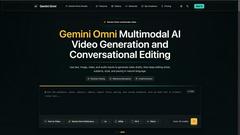
OmniGemini
OmniGemini is a multimodal AI creation workflow for generating, remixing, and editing videos and images from prompts and references.
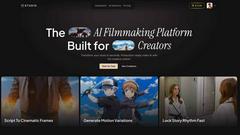
MStudio
MStudio is the AI-powered production studio that turns your script into a pitch-ready storyboard with visuals, motion, and audio in one session.
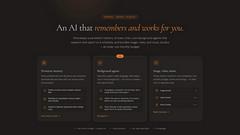
Alma by Olivares AI
Alma by Olivares AI is your intelligent assistant that remembers conversations, conducts research, and integrates creative media studios seamlessly.
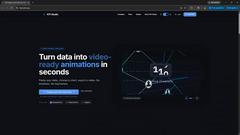
KPI Studio
KPI Studio transforms raw data into engaging video animations in under 60 seconds, streamlining your content creation process effortlessly.
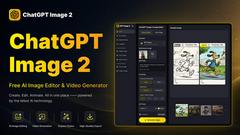
ChatGPT Image 2
ChatGPT Image 2 is your all-in-one AI hub for seamless image editing, generation, and video creation, now with a limited-time 50% off offer.

SciFig
SciFig transforms any input into publication-ready scientific figures that stay fully editable at every stage.
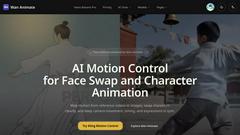
Wan Animate
Wan Animate is an AI tool that creates cinematic character animations with precise motion control and seamless face swapping.

Viewmax Studio
Viewmax Studio effortlessly transforms your images into stunning videos with AI, perfect for creating viral content in seconds.