GPT Image 2 Studio
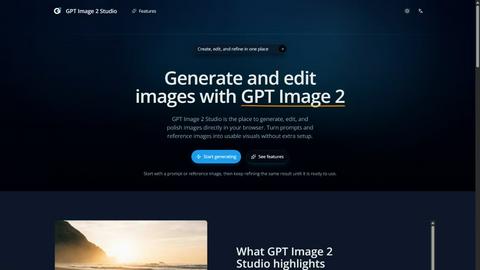
GPT Image 2 Studio is a professional AI tool for generating, editing, and refining images from prompts and references in one browser workspace.
Visit
About GPT Image 2 Studio
GPT Image 2 Studio is a comprehensive, browser-based AI image generation and editing platform designed to streamline the entire visual content creation process. Unlike basic text-to-image tools that require users to jump between different applications for generation, editing, and export, GPT Image 2 Studio consolidates these essential functions into a single, unified workspace. The platform is built for digital creators, marketing professionals, designers, and content teams who need practical, editable, and consistently improvable visuals without the overhead of complex software installations or disjointed workflows.
At its core, GPT Image 2 Studio converts text prompts into high-quality visual content, but its value proposition extends far beyond simple generation. The platform introduces a multi-turn refinement capability that allows users to iterate on an image over several conversational turns, making it possible to adjust details, style, and composition without starting from scratch. This iterative approach is complemented by robust reference-friendly editing, which preserves critical details from input images such as faces, logos, and source elements while implementing requested changes. Users can also control essential parameters like aspect ratio, image quality, output format, and background mode directly within the workspace, ensuring that the final output aligns with specific channel or design requirements.
The platform serves a diverse audience, from individual creators looking for a quick and reliable way to generate visual drafts to enterprise teams needing production-ready outputs for marketing campaigns, social media content, product mockups, and more. GPT Image 2 Studio is currently available for use, offering both a quick generator mode for rapid experimentation on the homepage and a full workspace for deeper controls and multi-image generation. With a focus on practical utility, the platform emphasizes features that address real-world image creation challenges: better prompt follow-through, reference-friendly editing, and the ability to generate multiple variations in a single run. This makes GPT Image 2 Studio a credible and authoritative choice for anyone seeking to integrate AI image creation into their digital workflows efficiently and consistently.
Features of GPT Image 2 Studio
Text-to-Image Generation
This core feature allows users to create images directly from text prompts with a high degree of accuracy and fidelity. The platform is engineered for better prompt follow-through, meaning the generated output stays closer to the subject, style, and layout specified in the user's description. Users can start with a simple prompt on the homepage for a quick draft or move to the full workspace for more detailed control over parameters like aspect ratio and quality, ensuring that the first result is a solid foundation for further refinement.
Image Editing with Reference Inputs
GPT Image 2 Studio enables users to upload an existing image and apply new instructions to modify or enhance specific parts of it. This feature is particularly powerful due to its high-fidelity reference editing capability, which preserves useful details from the source image such as faces, logos, and other critical elements. Users can make targeted changes without degrading the quality or integrity of the original content, making it ideal for tasks like updating product visuals, adjusting compositions, or refining brand assets.
Multi-Turn Refinement
The platform supports an iterative conversation-like workflow where users can continuously improve the same image over several turns. Instead of generating a new image from scratch for each adjustment, users can provide sequential instructions to refine details, change elements, or enhance specific areas. This feature dramatically reduces the time and effort required to achieve a polished, production-ready result, as the AI maintains context from previous interactions and builds upon the established visual foundation.
Size, Quality, and Background Controls
Users have direct access to essential output parameters that determine how an image will be used across different channels. The platform allows for selection of aspect ratios including Square (1:1), Landscape (3:2), and Portrait (2:3), as well as controls for image quality, output format, and background mode. These settings ensure that generated images are optimized for specific use cases, whether for social media posts, website banners, print materials, or other design tasks, without requiring post-processing in external tools.
Use Cases of GPT Image 2 Studio
Rapid Visual Content Creation for Marketing Campaigns
Marketing teams can use GPT Image 2 Studio to quickly generate a variety of visual assets for campaigns, including social media graphics, blog post headers, and advertisement visuals. The text-to-image generation capability allows for rapid prototyping of different creative concepts, while the multi-turn refinement feature enables teams to iterate on a single design until it perfectly matches the campaign's messaging and brand guidelines. This accelerates the content production pipeline and reduces dependency on external design resources.
Product Mockups and Brand Asset Refinement
E-commerce businesses and product teams can leverage the image editing and reference-friendly features to create and refine product mockups. By uploading a reference image of a product, users can instruct the AI to change backgrounds, adjust lighting, or modify specific details while preserving the product's core appearance, including logos and packaging design. This capability is invaluable for A/B testing different visual presentations, updating catalog images, or creating variations for different market segments.
Iterative Design and Concept Development for Creatives
Artists, illustrators, and designers can use GPT Image 2 Studio as a brainstorming and concept development tool. Starting from a text prompt, they can generate initial visual drafts and then use multi-turn refinement to explore different stylistic directions, color palettes, and compositional layouts. The ability to generate multiple outputs in one run allows for easy comparison of variations, helping creatives converge on a final concept more efficiently than traditional sketching or manual iteration methods.
Content Personalization for Digital Platforms
Media companies and content publishers can utilize the platform to generate personalized visual content at scale. By combining text prompts with reference images that maintain brand consistency, teams can create unique visuals for different articles, user segments, or regional markets. The size and quality controls ensure that each image is formatted correctly for its intended platform, whether for mobile-optimized social media stories, high-resolution website hero images, or email newsletter graphics.
Frequently Asked Questions
What is GPT Image 2 good for?
GPT Image 2 is designed for practical, real-world image creation tasks where users need to generate, edit, and refine visuals efficiently. It excels in scenarios requiring better prompt follow-through, reference-friendly editing that preserves faces and logos, and multi-turn refinement for iterative improvement. The platform is ideal for marketing content, product mockups, social media visuals, and any use case where users want production-ready outputs without switching between multiple tools.
Is GPT Image 2 officially available now?
Yes, GPT Image 2 is currently available for use. Users can start generating images directly on the homepage using the quick generator mode or access the full workspace for deeper controls and advanced features like reference image uploads and multi-turn refinement. The platform is operational and ready for integration into professional and personal digital workflows.
How do I create my first image?
To create your first image, visit the GPT Image 2 Studio homepage and enter a text prompt in the provided field. You can choose an aspect ratio from options like Square (1:1), Landscape (3:2), or Portrait (2:3). After signing in, click the generate button to produce your first result. For more control, you can open the full workspace where you can add reference images, adjust quality settings, and engage in multi-turn refinement.
Can I upload a reference image?
Yes, GPT Image 2 Studio supports reference image uploads. This feature allows you to use an existing image as a starting point and then apply new instructions to edit or refine specific parts. The platform is designed to preserve high-fidelity details from the reference, including faces and logos, ensuring that your edits enhance the original content without degrading its quality.
Pricing of GPT Image 2 Studio
Pricing information is not available in the provided context. Users are directed to the official website to view current pricing plans and credit usage details.
Explore more in this category:
Top Alternatives to GPT Image 2 Studio
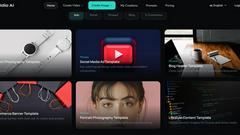
Spark Robin
AI video generator that converts text and images into short, shareable videos
GPT‑Image2
GPT-Image2 transforms text into photorealistic images and enhances visuals with creative extensions, powered by Idio AI.
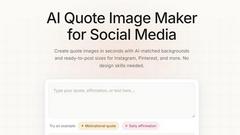
QuoteImageMaker
QuoteImageMaker analyzes your text to generate perfectly matched backgrounds and preset sizes for social media posts in seconds.
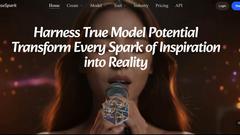
MuseSpark AI
MuseSpark AI transforms your creative inspirations into reality with powerful models for text, audio, image, and video content creation.

ul0
ul0 is a free URL shortener that instantly creates permanent links, tracks clicks, and generates UPI QR codes without any signup required.
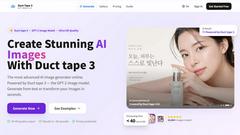
Duct Tape 3
Duct Tape 3 is the premier AI image generator, creating ultra HD visuals from text or existing images in seconds.
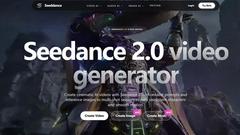
Seeddance
Seeddance 2.0 transforms text and images into stunning cinematic videos with smooth motion, high-quality effects, and integrated audio.
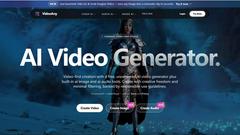
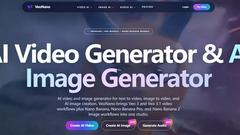
VideoAny
VideoAny is an all-in-one AI studio that effortlessly transforms text and images into stunning videos, images, and audio for creative projects.