
Mybets vs Proofapp
Side-by-side comparison to help you choose the right product.

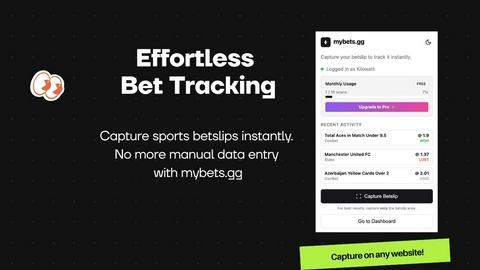
Mybets automates bet tracking with AI, transforming screenshots into actionable insights for serious sports bettors.
Last updated: February 25, 2026

Proofapp
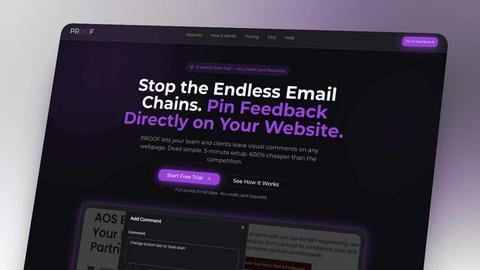
Proof lets teams and clients leave contextual comments directly on website screenshots, streamlining the design review and approval process.
Visual Comparison
Mybets
Proofapp
Overview
About Mybets
Mybets is a cutting-edge sports bet tracking application designed to cater to bettors who demand efficiency and accuracy. Unlike traditional bet-tracking applications that rely on APIs, Mybets leverages advanced AI Vision technology combined with a user-friendly Chrome Extension to automate bet tracking from any sportsbook, making it particularly beneficial for users of European sites, arbitrage books, and cryptocurrency platforms. The primary value proposition of Mybets lies in its ability to eliminate the need for manual data entry, which is often time-consuming and prone to errors. By simply uploading a screenshot of a bet slip or using the Chrome Extension, users can instantly capture and sync their betting data to a centralized dashboard. This streamlined approach not only saves time but also enhances the betting experience for serious bettors who want to focus on strategy rather than tedious record-keeping.
About Proofapp
Proof is a visual feedback and website review platform that helps designers, developers, and their clients collaborate more efficiently. Upload any website URL and Proof automatically captures desktop and mobile screenshots. Reviewers can pin comments directly on the design, reply in threads, attach files, and resolve feedback — all without needing an account. Features include real-time notifications, Slack integration, multi-page support, customizable accent colors, and a generous free tier. Whether you're a freelancer collecting client feedback or an agency managing multiple projects, Proof eliminates the confusion of scattered emails and vague revision notes by keeping all feedback visual, organized, and actionable.