
kling26 vs Seedance 2.0 AI Video Generator
Side-by-side comparison to help you choose the right product.

Kling 2.6 transforms text and images into stunning videos effortlessly, with 20 free credits for new users.
Last updated: February 26, 2026

Seedance 2.0 transforms prompts and images into polished videos, enabling fast, consistent, and professional video.
Last updated: February 25, 2026
Visual Comparison
kling26

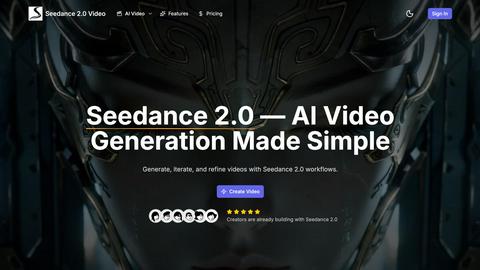
Seedance 2.0 AI Video Generator
Feature Comparison
kling26
Hybrid AI Architecture
kling26 harnesses a revolutionary hybrid AI architecture that integrates advanced Diffusion Models and Transformer networks, ensuring high-quality video production. This sophisticated system processes video frames through deep neural networks, providing enhanced understanding of visual elements and ensuring smooth transitions and consistent motion across frames, resulting in broadcast-quality outputs.
Multi-Element Tracking
With its industry-leading multi-element tracking feature, kling26 allows users to control up to six independent moving objects within a single frame. This capability enables each element to have unique paths and speeds, while static areas can be locked to maintain their position, allowing for dynamic animations without unrealistic interactions.
Lip Synchronization
Kling26's perfect lip-sync technology ensures precise alignment between character facial movements and generated audio. This feature enables natural and realistic results, accommodating complex conversations with multiple characters and adapting seamlessly to different languages, including English and Chinese.
Bilingual Audio Generation
The platform offers comprehensive bilingual audio generation, allowing for the creation of synchronized audio in both Chinese and English. Users can generate natural-sounding narration and dialogue, enhancing their videos with sound effects and ambient audio that enrich the viewing experience and engage audiences more effectively.
Seedance 2.0 AI Video Generator
Text-to-Video Engine
The Text-to-Video Engine allows users to convert concise scene descriptions into engaging video clips. This feature ensures that the resulting visuals maintain controlled motion and precise framing, creating a coherent narrative that aligns with the initial concept.
Image-to-Video Guidance
With Image-to-Video Guidance, users can animate still images, bringing them to life while maintaining stylistic integrity and framing alignment. This feature is particularly useful for creators who wish to enhance static visuals with dynamic motion, ensuring a polished and professional output.
Fast vs Quality Modes
Seedance 2.0 offers two operational modes: Fast and Quality. The Fast mode is ideal for quick iterations and experimentation, allowing creators to explore various ideas rapidly. In contrast, the Quality mode focuses on producing higher resolution renders, perfect for final cuts that require a more refined finish.
Workflow-First Controls
Designed with a workflow-first approach, Seedance 2.0 provides intuitive controls that facilitate repeatability and consistency across multiple projects. This feature helps teams maintain a coherent visual direction and enhances productivity by minimizing the need for excessive adjustments in future video outputs.
Use Cases
kling26
Social Media Content Creation
Kling26 is ideal for marketers and content creators looking to produce impactful social media clips quickly. With the ability to generate 5-second and 10-second videos, users can create engaging stories and advertisements that capture attention and drive engagement on platforms like Instagram and TikTok.
Educational Video Summaries
Educators can utilize kling26 to create brief video summaries of lessons or concepts. By converting text prompts into informative and visually appealing videos, educators can enhance student learning and retention while making content more accessible.
Promotional Product Demos
Businesses can leverage kling26 to generate quick promotional videos for product demonstrations. By using static images or text descriptions, companies can produce eye-catching videos that showcase product features and benefits, helping to increase sales and customer interest.
Personal Projects and Fun Content
Kling26 is also perfect for casual users who want to create fun and personalized videos. Whether it’s turning family photos into memorable videos or generating clips for special occasions, kling26 makes it easy for anyone to express creativity and share moments with friends and family.
Seedance 2.0 AI Video Generator
Product Ads
Seedance 2.0 is perfect for creating concise promotional clips that effectively communicate product features. Businesses can quickly generate high-quality ads for landing pages and social media campaigns, significantly enhancing conversion rates and audience engagement.
Social Shorts
For social media influencers and marketers, Seedance 2.0 enables the creation of engaging short video loops suitable for platforms like TikTok, Instagram Reels, or YouTube Shorts. The tool simplifies the editing process, allowing for rapid content generation that keeps up with the fast-paced social media environment.
Tutorials & Demos
Educators and brands can leverage Seedance 2.0 to convert written scripts into visually compelling tutorials and demonstrations. This use case enhances the learning experience by providing step-by-step visuals that clarify complex concepts, making it easier for viewers to follow along.
E-commerce Showcase
E-commerce businesses can use Seedance 2.0 to create visually appealing product showcases. By generating clean close-ups and dynamic detail shots, companies can significantly boost user engagement and increase the likelihood of clicks and conversions on their product pages.
Overview
About kling26
kling26 is an advanced AI video generation platform designed to simplify the video creation process for creators, marketers, and casual users alike. By leveraging cutting-edge technology, kling26 allows users to transform text prompts or static images into polished short videos ranging from 5 to 30 seconds without the need for extensive video editing experience. This user-friendly tool is perfect for generating engaging content for social media, quick product demonstrations, or entertaining clips. New users can take advantage of an enticing offer of 20 free credits upon signup, enabling them to create their first video at no cost and experience the platform's capabilities. With a minimalistic interface and no hidden fees, kling26 stands out by turning creative ideas into high-quality videos in just a few minutes, making it accessible for everyone from novice users to seasoned professionals.
About Seedance 2.0 AI Video Generator
Seedance 2.0 is an innovative AI video creation platform designed to empower creators in the realm of multimedia content. It utilizes a unified multimodal architecture that seamlessly integrates audio and visual elements, allowing users to transform simple text prompts, along with optional image, video, and audio references, into stunning, cinematic clips. By prioritizing controlled motion and coherent framing, Seedance 2.0 caters to content creators, marketers, and businesses looking to generate high-quality video outputs efficiently. Its primary value proposition lies in its ability to streamline the video creation process, enabling rapid iteration and refinement of ideas into polished final products, which are crucial for modern digital marketing and communication strategies.
Frequently Asked Questions
kling26 FAQ
How does kling26 work?
Kling26 operates by allowing users to enter text prompts or upload images, which the AI then processes to generate a video. Users can select styles and customize aspects like duration, making the process straightforward and intuitive.
Is there a cost to use kling26?
While new users receive 20 free credits upon signing up, additional video generation may incur costs based on the number of credits required for longer videos. However, there are no hidden fees, ensuring transparency in pricing.
What types of videos can I create with kling26?
With kling26, users can create a variety of short videos, including social media clips, educational content, promotional demos, and personal projects. The platform's flexibility caters to both professional and casual video needs.
Can I customize the audio in my videos?
Yes, kling26 allows users to generate bilingual audio and customize voiceovers, sound effects, and ambient sounds, enriching videos and enhancing the overall viewing experience. Voice cloning features also enable personalized character voices.
Seedance 2.0 AI Video Generator FAQ
What types of media can I use with Seedance 2.0?
Seedance 2.0 allows users to incorporate text prompts, images, videos, and audio references. This multimodal approach enhances the video creation process, providing a rich canvas for creativity.
Is there a limit to the length of videos I can create?
While the official specifications regarding clip length limits are still to be confirmed, Seedance 2.0 is designed to facilitate both short clips and the stitching of multiple clips into longer narratives, catering to diverse project needs.
Can I use Seedance 2.0 for commercial projects?
Yes, Seedance 2.0 offers plans that include commercial use licenses, enabling creators and businesses to use generated videos for marketing, promotional, and other commercial purposes without restrictions.
How do I export my videos?
Seedance 2.0 supports exports in common video formats, ensuring that clips are optimized for various platforms, including web, social media, and product pages, making it easy to distribute content across different channels.
Alternatives
kling26 Alternatives
Kling26 is an advanced AI video generation platform that simplifies the video creation process for a wide range of users, including creators, marketers, and casual enthusiasts. It allows individuals to effortlessly transform text prompts or static images into polished videos without requiring extensive video editing skills. As a tool designed for quick and engaging content creation, kling26 is highly accessible, making it a popular choice among those looking to enhance their digital presence. Users commonly seek alternatives to kling26 for various reasons, such as pricing structures, feature sets, and specific platform requirements. Some may find that they need additional functionality or integrations that kling26 does not offer. When choosing an alternative, it is essential to consider factors such as ease of use, quality of output, available features, customer support, and pricing models to ensure that the selected platform meets their unique needs and enhances their video production capabilities.
Seedance 2.0 AI Video Generator Alternatives
Seedance 2.0 AI Video Generator is a cutting-edge platform that falls within the category of AI-driven video creation tools. It allows users to transform text prompts and images into polished, professional-quality videos efficiently, catering to the needs of content creators, marketers, and businesses. Users often seek alternatives to Seedance 2.0 due to factors such as pricing constraints, specific feature requirements, platform compatibility, or the need for different customization options. When choosing an alternative, it is crucial to consider the ease of use, the range of features offered, and the overall quality of the output to ensure it meets your unique requirements.