
Browsilla vs Proofapp
Side-by-side comparison to help you choose the right product.

Browsilla
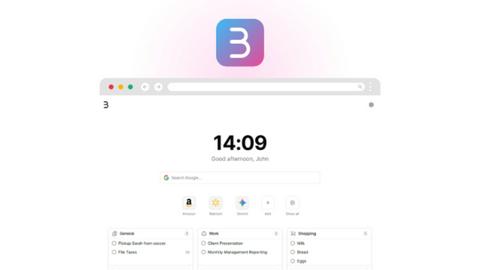
Browsilla transforms your Chrome new tab into a focused workspace with tasks, bookmarks, weather, and inspiration.
Last updated: February 25, 2026

Proofapp
Proof lets teams and clients leave contextual comments directly on website screenshots, streamlining the design review and approval process.
Visual Comparison
Browsilla
Proofapp

Overview
About Browsilla
Browsilla is an innovative Chrome extension designed to transform your browsing experience by redefining the functionality of a new tab. It serves as a serene, efficient hub that consolidates essential tools and information, eliminating the chaos often associated with traditional new tab pages filled with ads and distractions. Browsilla targets creators, entrepreneurs, and professionals who value productivity and focus. By showcasing a minimalistic dashboard that features your to-do list, frequently used links, saved bookmarks, and current weather, it ensures that you only see what truly matters. This extension emphasizes a privacy-first approach, requiring no account creation or data tracking, allowing users to navigate their tasks without the burden of unnecessary complications. With Browsilla, every new tab becomes an opportunity to engage in productive work, helping you stay organized and motivated throughout your day.
About Proofapp
Proof is a visual feedback and website review platform that helps designers, developers, and their clients collaborate more efficiently. Upload any website URL and Proof automatically captures desktop and mobile screenshots. Reviewers can pin comments directly on the design, reply in threads, attach files, and resolve feedback — all without needing an account. Features include real-time notifications, Slack integration, multi-page support, customizable accent colors, and a generous free tier. Whether you're a freelancer collecting client feedback or an agency managing multiple projects, Proof eliminates the confusion of scattered emails and vague revision notes by keeping all feedback visual, organized, and actionable.